

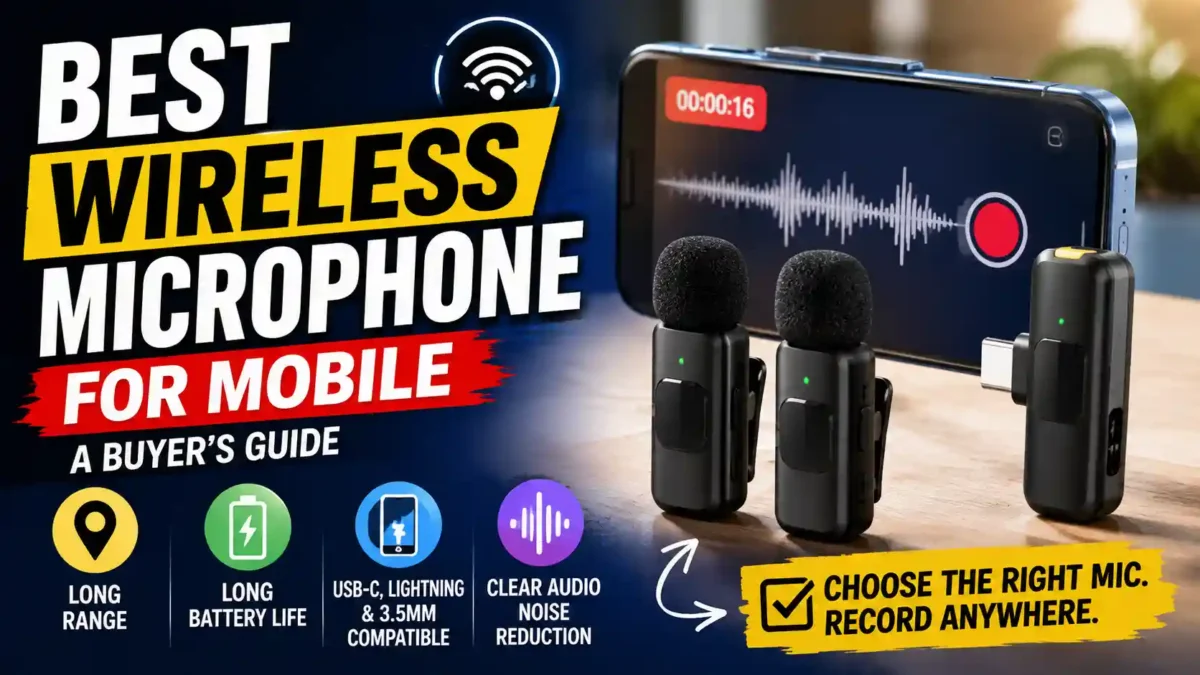
Confused about picking the best wireless microphone for mobile? Here’s how to match range, connector, and budget to how you actually record.
If you’ve ever watched back a video you shot on your phone and cringed at the tinny, echoey audio, you already know why finding the best wireless microphone for mobile matters more than almost any other upgrade you can make. A sharper lens won’t save a video with bad sound. A cheap clip-on mic usually will.
The short version: the right mic for you depends less on which model has the flashiest spec sheet and more on how you record, how far you move from your phone, and which connector your device actually uses. This guide walks through that decision step by step, using what’s actually available right now rather than a generic list you’ve read a dozen times before.
I Tested 36 Wireless Microphones – Here Are The Best!
What is a wireless microphone for mobile, exactly?
A wireless microphone for mobile is a small clip-on (lavalier) transmitter that sends audio to a receiver plugged into your phone’s charging port, or in some cases straight over Bluetooth. You wear the transmitter near your collar, walk around freely, and the receiver feeds a clean signal into your phone’s camera app. No cables tethering you to the device, and no picking up your phone’s built-in mic, which mostly captures room noise and echo.
READ MORE
Step 1: Decide what you’re actually recording
Start here, not with a spec sheet. Solo talking-head videos, product reviews, or online classes just need one clean voice, so a single-transmitter kit is plenty. Interviews, two-person podcasts, or duo vlogging need two transmitters and one receiver so both voices land on separate channels. Street interviews or run-and-gun content, where your subject might wander, benefit from a mic with a longer effective range so the signal doesn’t cut out mid-sentence.
Step 2: Match the connector to your phone
This trips up more buyers than anything else. Newer iPhones and most current Android phones use USB-C, but plenty of people are still on Lightning, and some creators plug straight into a camera’s 3.5mm jack instead of a phone. Several kits, including the DJI Mic Mini, ship with swappable receiver tips so one kit covers USB-C, Lightning, and 3.5mm without buying separate hardware. If you switch between an iPhone and an Android phone regularly, that flexibility is worth paying a bit more for.
Step 3: Set a realistic budget
Wireless mics for phones roughly split into three tiers. Budget lavalier kits, like SYNCO’s P1X line, sit around $20 and are a real upgrade over a phone’s built-in mic even if they lack extras like noise cancellation. Mid-range kits from brands such as RODE, DJI, and Hollyland typically run $70 to $130 and add AI noise reduction, longer range, and a charging case. Pro-tier systems, like the DJI Mic 3, push past $200 and add dual-band anti-interference and finer gain control, which matters more for paid production work than for casual content.
How much should you spend on a wireless mic for your phone?
For most casual creators, $70 to $130 hits the sweet spot between real noise cancellation and a price that doesn’t feel excessive for occasional use. Go cheaper if you’re just testing whether video is a hobby worth sticking with. Go pricier only if audio quality directly affects your income.
Step 4: Check the range you’ll realistically need
Range numbers on the box are best-case, measured in open, unobstructed conditions, so treat them as a ceiling rather than a guarantee. Entry kits often max out around 100 to 250 feet, which is plenty for indoor filming, sit-down interviews, or a small studio setup. If you’re shooting street interviews or documentary – style footage where your subject might walk half a block away, look toward kits advertising 400 feet or more, and expect real-world performance to drop somewhat once walls or crowds get involved.
Step 5: Weigh battery life against your shoot length
Most current mics run 6 to 9 hours per charge on the transmitters themselves, which covers a full day of intermittent shooting. What actually matters more is the charging case. Kits with a case that tops up the transmitters between takes can stretch total usable time to 30 hours or more without ever finding an outlet. If you shoot for a living, that case is arguably more valuable than any single spec on the transmitter.
Step 6: Look closely at noise handling, not just the marketing term
Nearly every mic released this year claims “AI noise reduction” somewhere on the box, and the term has gotten a little diluted because of it. What actually varies is whether the noise reduction is adjustable in real time or baked in at a fixed level. Kits that let you dial noise cancellation up or down, or apply an EQ preset through a companion app, give you more control when you’re recording somewhere unpredictable, like an outdoor market or a windy rooftop.
Something that came up repeatedly while researching this topic: several reviewers who tested multiple kits side by side noted that the audio difference between mid-range and top-tier mics is smaller than the price gap suggests, and that battery life, connector flexibility, and build quality end up mattering more day to day than an extra decibel of clarity. That’s worth keeping in mind before assuming the priciest option is automatically the right one.
Step 7: Decide between a single transmitter and a dual kit
If you only ever appear on camera alone, a single-transmitter kit saves money and clutter. If there’s any chance you’ll interview someone, co-host with a friend, or want a backup mic on hand, a dual-transmitter kit is worth the extra cost from the start. Buying a second transmitter later, if your kit even supports it, usually costs close to what you’d have paid for the dual kit up front.
A quick comparison of current mobile-friendly options
Pricing and specs shift often in this category, so treat the table below as a general snapshot rather than the final word. Always check the current listing before buying.
| Mic | Best for | Approx. price |
|---|---|---|
| SYNCO P1X | Budget single-voice recording | Around $20 |
| DJI Mic Mini | Overall value, multi-connector flexibility | Around $79 |
| RODE Wireless Micro | Compact, smartphone-first kits | Mid-range |
| Hollyland Lark M2 | Long range on a budget | Mid-range |
| DJI Mic 3 | Professional-grade features and control | Premium tier |
Common mistakes people make buying a wireless mic for their phone
A few patterns show up over and over among first-time buyers, so it’s worth naming them directly.
READ MORE
- Buying a Lightning-only kit right before switching to a USB-C phone, or vice versa.
- Assuming the maximum range listed on the box will hold up indoors or in a crowd.
- Skipping the charging case to save money, then running out of battery mid-shoot.
- Choosing the most expensive kit on the assumption that price alone guarantees better audio.
One thing that stood out while comparing coverage of this category is how often reviewers mention returning a mic not because the audio was bad, but because the connector didn’t match a phone they upgraded to a few months later. It’s a small detail that’s easy to overlook when you’re focused on sound quality alone, but it’s probably the single most common regret among buyers.
Putting it together: which type of mic fits your situation?
If you’re just starting out and want to see whether better audio actually changes how people respond to your videos, a budget single-transmitter kit is the low-risk move. If you’re already posting regularly and want something that’ll hold up for a year or two of use, a mid-range dual-transmitter kit with a charging case and adjustable noise reduction is the more durable choice. And if audio quality directly ties to income, whether that’s client work, a growing channel, or live events, it’s worth stretching toward a premium kit with finer gain control and stronger interference resistance.
Frequently Asked Questions
Do wireless mics for mobile work with any phone case?
Most receivers are small enough to plug in even with a case on, but thicker or rugged cases can sometimes block the port. If that happens, a short extension cable usually solves it without needing to remove the case.
READ MORE
Can I use a wireless mic for mobile with Bluetooth instead of a receiver?
A handful of mics support direct Bluetooth pairing, but most rely on a physical receiver because it avoids Bluetooth’s audio latency and compression. If sync accuracy matters for your editing workflow, a wired receiver is still the more reliable option.
Is a wireless mic really better than my phone’s built-in microphone?
Yes, in almost every case. Built-in phone mics are designed to pick up sound from any direction, which means they capture room echo and background noise along with your voice. A clip-on mic sits close to your mouth and picks up mostly you.
How long does a wireless mic for mobile actually last on a charge?
Most current transmitters run 6 to 9 hours on a single charge, and a charging case can extend total usable time to around 30 hours before you need an outlet.
Do I need two transmitters if I only record by myself?
No. A single-transmitter kit is enough for solo content. A second transmitter only becomes useful once you’re recording interviews or a second speaker.
Final thoughts
There isn’t one single best wireless microphone for mobile that fits everyone, and honestly, anyone claiming otherwise is skipping the part where your connector, budget, and recording style all pull in different directions. Match the mic to how you actually shoot, not to whichever kit tops a list, and you’ll end up with something that holds up long after the review cycle has moved on to the next release.

You Might Also Like
The Wireless Earbuds Buying Mistake Almost Everyone

16mm Movie Projector: Why Collectors Love It, But You Probably Want a Digital Projector

Best Gadgets for Dropshipping: Top Tech Products to Sell in 2026

The Ultimate GE Profile UltraFast Combo 2-in-1 Review: Does AI Work?

How to Earn Money From an AI Agent in 2026

Leave a Reply