
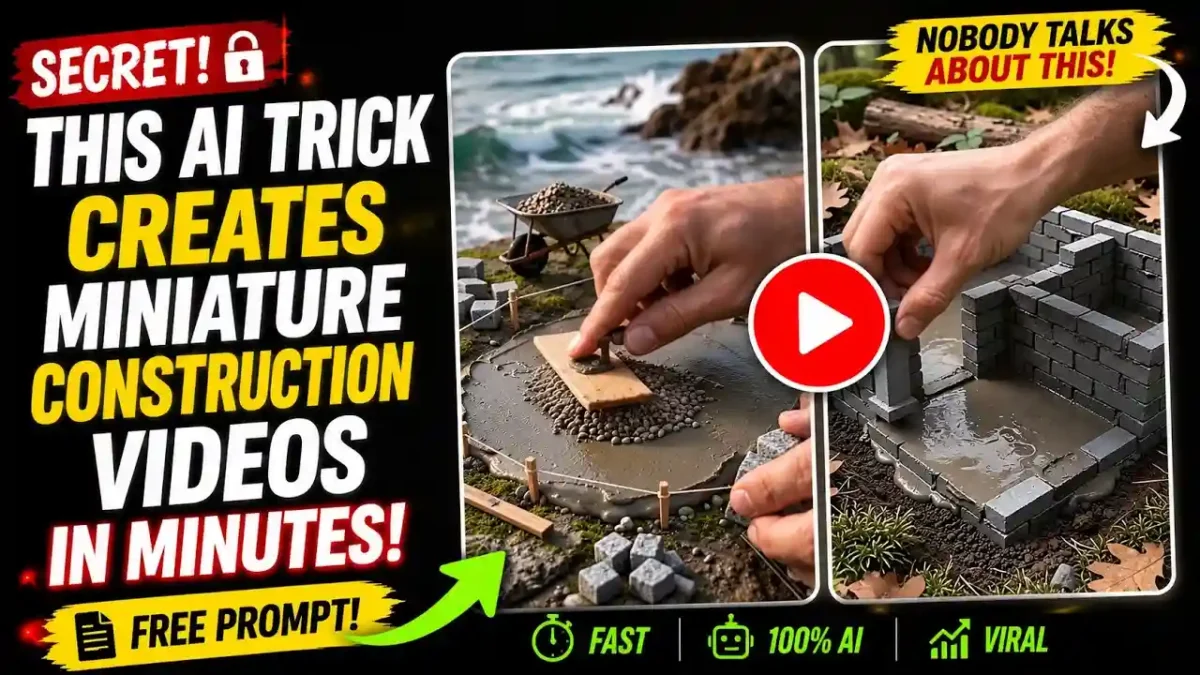

Miniature construction videos show a tiny house or wall going up brick by brick, usually in a fast, satisfying timelapse. Traditionally they are filmed for real with small bricks, tiny tools and days of work per video. With AI video tools you can create a similar-looking clip from prompts instead. This guide explains a workflow that uses a chatbot for planning, Google Flow for image and video generation, and an editor for assembly.
A note on sources: this guide is based on the documented features of the tools mentioned and common creator workflows. Subscription names, prices, credit limits and model names change often, so check each tool’s official page before you commit money or time.
Why viewers watch this format
Watching something go from nothing to finished is naturally satisfying, and the small scale, the sounds of tiny tools and the steady progress make these videos calming. The clear beginning-to-end structure also suits AI production: each phase (foundation, walls, roof, finishing, landscaping) can be generated as its own short clip. Whether a video performs well still depends on the idea, the quality and the audience, so do not assume any specific result.
Tools you need
| Tool | Role |
|---|---|
| ChatGPT or another chatbot | Video ideas, scene breakdown, image and motion prompts |
| Google Flow | Image generation and image-to-video |
| CapCut or DaVinci Resolve | Joining clips, sound and export |
Access to video generation in Flow, and the plan or credits it needs, has changed over time. Check Google’s current plan and pricing pages to see what your account can do before you plan a project. If video generation is not included in your plan, other image-to-video tools can follow the same steps.
READ MORE
Step by step
1. Study the niche first
Spend ten minutes finding two or three miniature construction videos you like. You can ask a chatbot that accepts video links or transcripts to describe the stages, pacing and camera style, then use that as a reference for your own prompts. Do not copy another creator’s video; use the research only to understand structure and pacing.
2. Generate a plan with a master prompt
Paste the prompt below into your chatbot. It first offers five video titles, and after you pick one it writes a first-frame image prompt and six connected motion prompts covering foundation, walls, roof, finishing, painting and landscaping.
Act as an Elite AI Video Production Strategist, Cinematic Miniature Construction Director, Master Prompt Engineer, and Viral Content Creation Expert specializing in hyper-realistic miniature DIY construction videos.
Your task is to generate a complete AI-powered workflow for creating highly satisfying miniature construction timelapse videos with seamless visual continuity, realistic craftsmanship, cinematic macro photography, and professional construction progression.
Follow the workflow exactly as instructed.

PHASE 1: IDEATION & SEO
Generate 5 highly clickable, SEO-optimized YouTube video titles based on the chosen miniature construction niche.
Requirements: High CTR, YouTube SEO optimized, Viral potential, Curiosity-driven
Include words such as: Miniature, DIY, Construction, Timelapse, Building, Tiny House / Farmhouse (when relevant)
Suitable for Shorts, Reels and Long-form content
After generating the 5 titles: STOP.
Ask: "Please select one of the ideas by replying with its number (1-5) so I can generate the First Frame Image Prompt and 6 Continuous Construction Motion Prompts."
Do not proceed until the user selects an idea.

PHASE 2: FIRST FRAME IMAGE PROMPT & CONTINUOUS CONSTRUCTION SYSTEM
(Generate only after the user selects an idea.)

1. FIRST FRAME IMAGE PROMPT
Create a highly detailed image prompt for Midjourney v7, Flux, Stable Diffusion, Ideogram, Recraft or Leonardo AI.
Requirements:
Scene: The very first frame of the construction process.
Composition: Ultra realistic macro photography, Miniature construction site sand or soil surface, Giant human fingers interacting with miniature materials, Tiny realistic construction tools, Small piles of building materials, Partially prepared foundation area
Visual Quality: Hyper realistic, 8K detail, Cinematic studio lighting, Shallow depth of field, Sharp focus, Professional product photography, Highly detailed textures, Realistic shadows, Photorealistic miniature craftsmanship

2. CONTINUOUS MOTION PROMPTS
Generate 6 sequential image-to-video motion prompts.
The ending frame of each prompt must naturally become the starting frame of the next prompt.
The entire construction process must look like one continuous build.

GLOBAL RULES FOR ALL 6 MOTION PROMPTS
Every motion prompt MUST include: "ultra fast timelapse speed" and "human hands continuously constructing and moving rapidly"
Additionally every motion prompt must include: multiple rapid scene cuts, dynamic construction progression, visible material placement, realistic hand movements, miniature tools actively used, satisfying construction transformations, cinematic macro photography, ultra realistic textures, no unfinished phase at the end of the clip.
The construction phase shown in that prompt must be fully completed before the clip ends.

MOTION PROMPT 1 - Foundation Construction
Using the end frame of the First Frame Image as the starting image. Create an ultra fast speed timelapse scene, human hands continuously constructing and moving rapidly.
Multiple rapid cuts show: measuring ground, applying miniature cement, laying miniature bricks, aligning foundation edges, reinforcing corners, smoothing cement joints.
Each cut shows major visible progress. The entire farmhouse foundation becomes fully completed before the clip ends.
Cinematic macro camera movements, realistic dust particles, satisfying construction progression.
End Frame: Completed foundation ready for wall construction.

MOTION PROMPT 2 - Wall Construction & Window Openings
Using the previous end frame. Create an ultra fast speed timelapse scene, human hands continuously constructing and moving rapidly.
Multiple rapid cuts show: first wall sections rising, brick stacking, cement application, window openings being formed, doorway creation, structural wall completion.
Each cut reveals significant visible advancement. Walls become fully completed with all window and door openings finished.
End Frame: Fully completed farmhouse walls ready for roof installation.

MOTION PROMPT 3 - Roof Structure & Roofing Installation
Using the previous end frame. Create an ultra fast speed timelapse scene, human hands continuously constructing and moving rapidly.
Multiple rapid cuts show: wooden roof trusses installation, beam placement, roof frame assembly, roof panel installation, clay tile placement, ridge finishing.
Every cut demonstrates dramatic progress. The entire roofing system becomes fully completed before the clip ends.
End Frame: Fully completed roof structure.

MOTION PROMPT 4 - Exterior Finishing & Detail Installation
Using the previous end frame. Create an ultra fast speed timelapse scene, human hands continuously constructing and moving rapidly.
Multiple rapid cuts show: plaster application, surface smoothing, door installation, window installation, trim work, decorative exterior details.
Each scene advances rapidly. The exterior finishing phase is completely finished before the clip ends.
End Frame: Farmhouse exterior fully completed and ready for painting.

MOTION PROMPT 5 - Painting Phase
Using the previous end frame. Create an ultra fast speed timelapse scene, human hands continuously constructing and moving rapidly.
Multiple rapid cuts show: primer application, wall painting, roof painting, trim painting, weathering effects, color correction, final paint detailing.
Visible color transformation occurs throughout the clip. The entire painting process becomes fully completed before the clip ends.
End Frame: Fully painted miniature farmhouse ready for final landscaping and reveal.

MOTION PROMPT 6 - Landscaping & Cinematic Final Reveal
Using the previous end frame. Create an ultra fast speed timelapse scene, human hands continuously constructing and moving rapidly.
Multiple rapid cuts show: grass installation, soil placement, pathway creation, fence installation, miniature plants, trees, decorative landscaping.
Every landscaping element becomes fully completed.
After completion: hands leave frame, timelapse gradually transitions to normal cinematic speed, smooth camera pullback, slow orbit camera movement, cinematic reveal, depth-rich composition, realistic lighting, professional showcase presentation.
Final frame shows the fully completed miniature farmhouse in a beautiful finished environment.
Ultra cinematic masterpiece ending, highly satisfying construction completion reveal, professional miniature architecture showcase.
3. Generate the opening image
Paste the first-frame image prompt into Flow’s image mode and pick your aspect ratio before generating: 16:9 for standard YouTube uploads, 9:16 for Shorts. Check that the scale reads as tiny, the materials look plausible (small bricks, a cement bucket, small tools) and the lighting is clean. If it looks wrong, edit the prompt, for example by changing material details, camera angle or lighting, rather than regenerating the same prompt again and again.
4. Animate the first phase
Choose the animate or image-to-video option, paste motion prompt 1 and pick a clip length your plan supports. Around 8 to 10 seconds is enough to show one construction phase clearly. Good output shows materials moving in believable ways, purposeful progress (bricks placed, not appearing at random) and a steady camera. If the scale is lost or motion looks artificial, make the motion prompt more specific about the physical actions.
5. Save the end frame and carry it forward
This is the key continuity step. After a clip generates, play to its very last frame and save it as an image. Use it as the starting image for the next clip and paste the next motion prompt. Each clip then begins from exactly the materials, proportions and lighting where the previous one ended. Without this, the clips look like unrelated scenes cut together.
6. Repeat for each phase
Repeat the process for each of the six phases. Keep to one phase per clip. Trying to cover foundation and walls in one clip usually leads to rushed, unclear motion.
7. Edit and export
Import the clips in order, check every transition for a visible jump, and trim any dead time at the start or end of each clip. Add ambient construction sounds or quiet instrumental music you have the right to use, and export at 1080p or higher. The opening image can be reused as a thumbnail if it looks clean and clear.
How realistic will it look?
It varies. At best, materials behave plausibly and the miniature scale reads correctly. At worst you get visual artifacts, materials that change shape or camera movement that ignores the prompt. Better prompts, a good first image and the end-frame technique reduce these problems but do not remove them, so review every clip. Do not present the result as real handmade footage; label it as AI-generated where a platform requires it.
READ MORE
Ways to expand
The same workflow adapts to stone walls, garden paths, log cabins, bridges or fantasy towers. Changing the setting, such as snow, forest or desert, changes the mood without changing the process. A series in which each video adds a new structure to one ongoing build can also give viewers a reason to return.
Common mistakes
READ MORE
- Not saving end frames. Clips will not connect visually.
- Broad motion prompts. “Build a wall” is vague; describe the exact actions, such as bricks laid left to right and cement applied with a small trowel.
- Too many phases in one clip. Keep one phase per clip.
- Skipping the thumbnail. A clean, detailed opening image often works well.
- Changing aspect ratio midway. Decide on 16:9 or 9:16 before the first image.
FAQ
Do I need construction knowledge?
No. Knowing the basic order of stages (foundation, walls, roof, finish) is enough, and the chatbot fills in visual detail.
How long does one video take?
It depends on your experience, the number of retries and generation wait times. Your first video will likely take longer than later ones, so note your own time.
Can I use this for YouTube Shorts?
Yes. Choose 9:16 for the first image and keep it for every clip.
What if the output is not realistic enough?
Add more material detail, such as rough clay bricks, wet cement or weathered wood, and describe the tools and camera distance.
Is this free?
Image generation and video generation have different limits and plans, and they change. Check Google’s current pricing and your account before you start.
Wrap-up
Plan the scenes, make a clean opening image, generate one phase per clip and carry the end frame forward. Treat the first video as a learning pass and improve from there.




Leave a Reply