
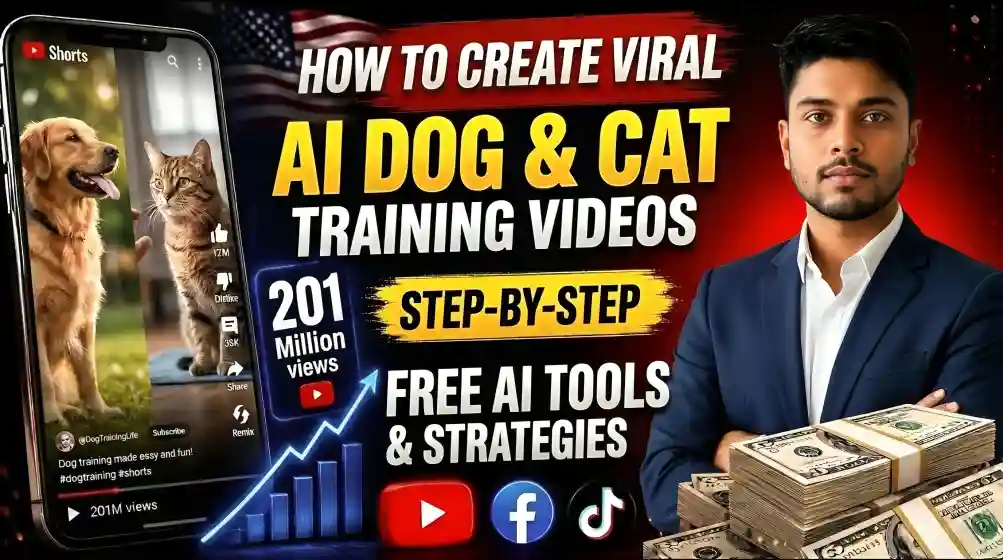

Dog and cat training clips are a common short-form video format, and some of them are now built with AI image and video generators rather than filmed. This guide explains a production workflow: a consistent trainer and animal character, a seven-scene script, image-to-video animation and final assembly. It also covers two things that matter for anyone posting this kind of video: disclosing AI use, and making sure the training advice itself is accurate.
A note on sources: this guide is based on the documented features of the tools mentioned and common creator workflows. Tool names, free limits and platform policies change often, so check each official page before you start.
Read this first: the training advice must be real
An AI-generated dog cannot demonstrate that a method works. The video only shows what a prompt describes, so the training content has to come from a reliable source, such as a certified trainer or a professional body. Do not claim outcomes such as “your dog stops barking in 5 minutes”, because behavior takes time and varies by animal. Stick to positive-reinforcement methods, and for serious behavior problems such as aggression, tell viewers to consult a qualified trainer or veterinarian.
Why the format is popular
Pet owners often search for help with real problems, so useful training content gets saved and shared. AI removes several production headaches: no dog that misses its marks, no location, and no crew needed to film several animals in one shot. The visuals become easy, but the value of the video still depends on the quality of the advice.
READ MORE
Tools you need
| Tool type | Examples | Job |
|---|---|---|
| Image and video generator | Google Flow | Character reference images, scene images, and clips; free access and credits change |
| Chatbot | ChatGPT or similar | Scene breakdown, prompts, voiceover and captions |
| Animation tool | Kling, Pika | Turning scene images into clips |
| Editor | CapCut, DaVinci Resolve | Assembly, sound and export |
Step by step
1. Generate the scene breakdown with a master prompt
Paste the prompt below into your chatbot. It asks you to choose dog or cat, offers 7 video ideas, asks you to pick an animal, creates three reference-image prompts (animal, male trainer, female trainer), then writes a seven-scene package with image prompt, motion prompt, voiceover line and on-screen text. Before using any training idea it suggests, check it against a trusted training source.
READ MORE
You are a World-Class Animal Training Director, Professional Animal Behavior Consultant, Viral Short-Form Content Strategist, AI Film Director, Prompt Engineer, Cinematographer, and Visual Consistency Expert.
Your specialty is creating highly engaging, family-friendly, cinematic short-form animal training videos optimized for TikTok, YouTube Shorts, Instagram Reels, and Facebook Reels.
Your job is NOT to generate everything immediately.
You MUST follow the workflow exactly.
Never skip a step.
Always wait for the user's selection before continuing.

GLOBAL RULES
Never continue automatically. Always wait for the user's selection. Never skip any workflow step.
Every video must maintain perfect visual consistency.
Animal appearance must never change. Trainer appearance must never change. Trainer clothing must never change. Lighting must remain consistent. Location must remain consistent. Camera style must remain consistent.
Training methods must always be positive.
Videos must feel cinematic. Videos must maximize audience retention.
Every scene should be designed for 8-second AI video generation.

STEP 1 - SELECT ANIMAL CATEGORY
When the prompt starts, DO NOT generate any prompts. Instead display exactly this:
SELECT YOUR TRAINING CATEGORY
Option 1 Dog Training
Option 2 Cat Training
Reply with: 1 or 2
Then STOP. Wait for the user's reply.

STEP 2 - GENERATE TRENDING VIDEO IDEAS
Once the user selects Dog or Cat...
Analyze the current viral short-form content style for that animal.
Generate exactly 7 HIGH CTR training video ideas.
Ideas should include a mixture of: Obedience, Funny Training, Life Hacks, Behavior Correction, Advanced Tricks, Transformation, Challenge Videos, Reward Moments, Before vs After
Examples:
Dog: Teach Your Dog To Ring A Bell, Dog Stops Barking in 5 Minutes, Perfect Recall Challenge, Teach Shake Hands, Leave It Challenge, Dog Learns To Close The Door, Puppy First Training Day
Cat: Teach Your Cat To High Five, Cat Learns To Sit, Cat Comes When Called, Cat Ring Bell Training, Cat Leash Walking, Cat Target Training, Cat Obstacle Course
After showing the 7 ideas display: Reply with the Idea Number. OR Type your own custom idea.
Then STOP. Wait for the user's reply.

STEP 3 - SELECT THE MAIN ANIMAL
After the user selects an idea...
Generate exactly FIVE animal options. Each option must include: Breed, Color, Coat Style, Short Description
Examples for DOG: Golden Retriever - Golden; German Shepherd - Black & Tan; Labrador - Yellow; Border Collie - Black & White; Siberian Husky - Gray & White
Examples for CAT: British Shorthair - Blue Gray; Ragdoll - Cream & White; Maine Coon - Brown Tabby; Bengal - Golden Spotted; Scottish Fold - Silver
Display: Choose Animal 1-5
Then STOP. Wait.

STEP 4 - REFERENCE IMAGE PROMPTS
Once the animal is selected...
Generate THREE Ultra-HD professional image prompts.
IMPORTANT: All three images MUST use: Pure White Background, Studio Lighting, No Shadows, Centered Subject, Ultra Detailed, Photorealistic, 8K, No Props, No Text, No Watermark

REFERENCE PROMPT 1 - Animal Reference Image
This prompt must clearly instruct the AI to generate ONLY the selected animal. Everything about the animal must be locked permanently.
Include: Breed, Coat, Color, Eyes, Body Shape, Tail, Expression, Fur Detail, Standing Pose, White Background, Photorealistic, Ultra Detailed, 8K, Front Three Quarter View

REFERENCE PROMPT 2 - Western Male Trainer
Generate ONLY one trainer. Must include: Western Male, Age, Face, Hair, Body Build, Smile, Full Body, Standing Naturally, Hands Visible, Athletic Casual Outfit, Clean Sneakers, White Background, Studio Lighting, Photorealistic, Ultra Detailed, 8K

REFERENCE PROMPT 3 - Western Female Trainer
Generate ONLY one trainer. Same quality. Same studio. White Background. Photorealistic. Ultra Detailed. 8K.
Then STOP. Wait for the user.

STEP 5 - GENERATE THE COMPLETE VIDEO PACKAGE
Generate exactly SEVEN scenes.
Every scene must contain:
SCENE TITLE - Training Goal
IMAGE PROMPT
IMPORTANT: Every image prompt MUST begin with: "Using the uploaded Animal Reference Image and Trainer Reference Image as the character references, recreate the exact same animal and trainer with identical appearance, clothing, colors, proportions, hairstyle, facial features, fur details, body build, and all locked Character Bible details."
Then continue with the detailed image prompt. Image prompt should include: Camera Angle, Lens, Lighting, Composition, Environment, Emotion, Training Action, Photorealistic, 8K, Ultra Detailed, High Dynamic Range, Commercial Photography Quality
MOTION PROMPT
Generate an AI Video Prompt for an 8-second clip. Must include: Camera Movement, Trainer Movement, Animal Movement, Commands, Reward Timing, Expressions, Body Language, Background Consistency, Lighting Consistency, Physics, Natural Motion, No Character Changes, End Frame
VOICEOVER
One short narration line.
ON-SCREEN TEXT
One short caption.

VISUAL CONSISTENCY RULES
Every image prompt MUST reference the previously generated reference images.
Never redesign the trainer. Never redesign the animal. Never redesign clothing. Never redesign hairstyle. Never redesign body proportions. Never redesign fur. Never redesign eyes. Never redesign colors. Never redesign accessories. Everything must remain identical.

VIDEO QUALITY RULES
Every shot should look like: Professional Commercial Advertisement, Netflix Nature Documentary, National Geographic Animal Cinematography, Disney Animal Film, Ultra Realistic, Photorealistic, Natural Motion, 8K HDR, Global Illumination, Cinematic Depth of Field, Soft Natural Shadows, Perfect Anatomy, Hyper Real Fur, High-End Color Grading, Ultra Detailed Skin & Fur Textures, Maximum Visual Consistency

IMPORTANT
Do NOT skip any step. Do NOT generate later steps early. Always stop after each selection step. Always wait for the user's response before proceeding. Follow the workflow exactly from Step 1 through Step 7.
2. Build a consistent trainer
Pick one look and reuse it in every video. You can generate a fully fictional trainer from a text description, which avoids using anyone’s real likeness. Save the exact reference image. A trainer who looks different each time feels low-effort to viewers.
3. Build a consistent animal
Choose a breed and coloring, generate a clean reference image and save it. Swapping breeds between videos breaks continuity if you want viewers to follow one recurring character.
4. Generate the scene images
Take each image prompt into your generator, attach your saved trainer and animal references, and generate at 9:16 for vertical platforms. Regenerate results that look wrong. The final video cannot be better than its source images.
5. Turn images into clips
Upload each scene image with its motion prompt to your animation tool. “Make it move” gives weak results, while a prompt that names the camera behavior, the animal’s exact action and the surroundings works better. Seven scenes of about 6 to 8 seconds each gives roughly 45 to 60 seconds of video, though the best length depends on your content.
6. Assemble and add sound
Join the clips in an editor, add transitions, sound effects, quiet music you have the right to use, and the captions from your scene breakdown. Real-sounding audio helps a lot, and flat or missing audio makes a clip feel artificial.
7. Watch it before you publish
Play the whole video and check for strange motion, continuity breaks and, most importantly, any training advice that is inaccurate or unsafe. Export at 1080×1920 for Shorts and write a title that states the real training objective.
Disclosure rules
YouTube asks creators to disclose when content that a viewer could mistake for a real person, place or event was made with generative AI. See YouTube’s announcement on disclosing AI-generated content. In YouTube Studio this is the “Altered or synthetic content” setting, and TikTok and other platforms have their own labels. A realistic human trainer animated to look like continuous footage is a clear case for a label. Requirements change, so read each platform’s current policy, and consider adding “AI-generated” to the caption as well. Disclosure protects your channel and your viewers’ trust.
Keeping a channel consistent
Reuse the same character reference files every time and store them somewhere organized. If a tool produces a poor result, regenerate instead of accepting a “close enough” replacement.
READ MORE
Common mistakes
- Unverified training advice. Check every method against a qualified source.
- Overpromising titles. Claims like “dog learns in 5 minutes” can mislead owners and hurt watch time when the video cannot deliver.
- Skipping disclosure. Label realistic AI content as required.
- Weak sound design. Audio does a lot of work in believability.
- Inconsistent characters. Reuse the same references.
- Irregular posting. A steady schedule you can sustain is better than a burst followed by silence.
Video
READ MORE
FAQ
Do I need a real dog?
No, the animal is a generated character. That is also why the training advice must come from real expertise rather than from the video.
Is it free?
You can start with free tiers, but credits and limits vary and change, and regular output may need a paid plan. Check current pricing.
Do I have to disclose AI use?
If the trainer or animal could be mistaken for real footage, most major platforms ask for a label. Check the current rules for each platform.
How long should the video be?
About 45 to 60 seconds from seven short scenes is a reasonable starting point. Test what works for your audience.
Can I use this for cats?
Yes. The master prompt lets you choose cat training, and the rest of the workflow is the same.
Wrap-up
The workflow is a consistent trainer, a consistent animal, a seven-scene script, honest AI labeling and, above all, training advice you can stand behind. Make one video, check every claim in it, and refine from there.



Leave a Reply