
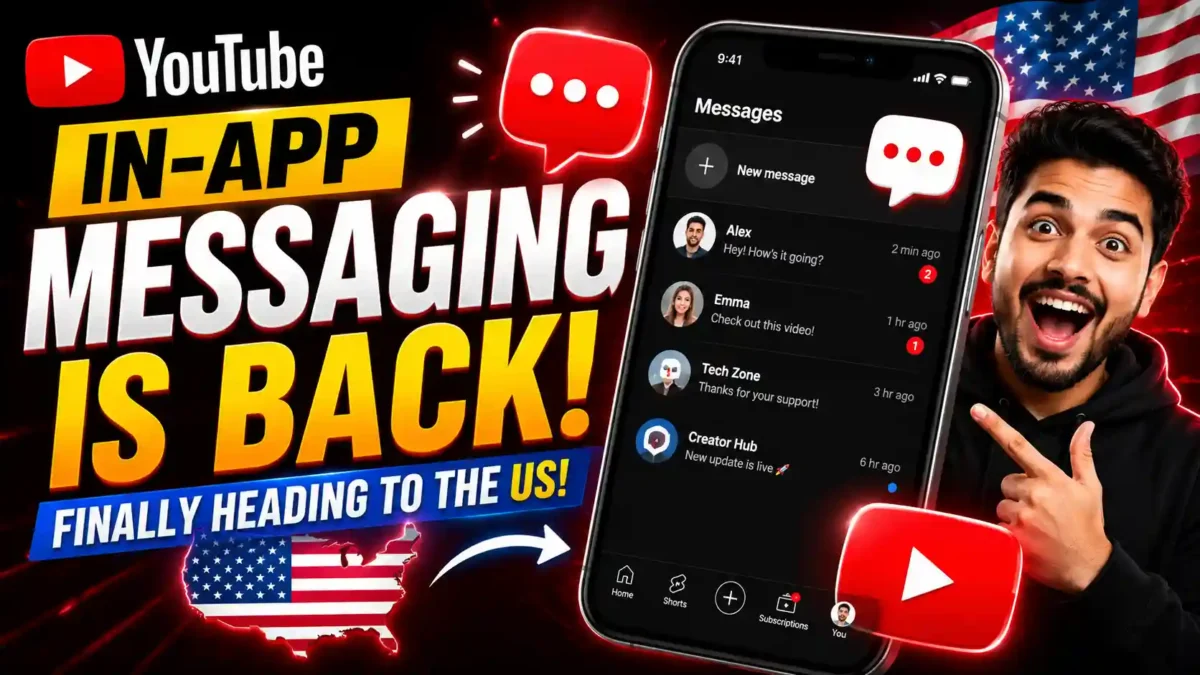

YouTube has officially announced the US rollout of its new in-app messaging feature. Details in this article are based on the most current confirmed information available. Some aspects of the rollout are still progressing and may continue to change.
For years, sharing a YouTube video with a friend required the same awkward workaround: copy the link, jump to iMessage or WhatsApp, paste it, and then wait for a reply somewhere completely outside of YouTube. It worked, technically, but it always felt like duct tape. YouTube noticed. And now, after a long and winding road, the platform’s messaging feature is back, and this time it’s coming to the United States.
The YouTube messaging feature isn’t a brand new idea. YouTube actually tried this before, launching in-app direct messaging back in 2017. But the original version struggled with low adoption and serious moderation headaches, and the feature was shut down quietly on September 18, 2019. Fast forward to late 2025, and YouTube decided to take another run at it, smarter, more restricted, and with a clearer purpose. This guide walks through exactly how it works, how it compares to other platforms, what it means for creators, and what to do if you don’t see it on your account yet.
Why Doesn’t YouTube Have a Private Messaging Feature? (It Actually Does Now)
If you’ve searched “why doesn’t YouTube have a private messaging feature,” you’re not alone, and until very recently, the frustration was completely valid. For nearly six years, YouTube had no in-app DMs at all. The question makes total sense.
Here’s the short version: YouTube did have messaging once, launched it in 2017, and then pulled it in 2019 because hardly anyone used it and it created real safety and moderation problems. After that, the company shifted its focus entirely to public engagement tools, comments, Community posts, and live chat. Private messaging just wasn’t a priority.
But that finally changed. As of June 2026, YouTube has brought private messaging back and is actively rolling it out to US users. So if you’ve been asking why the feature doesn’t exist, it now does. It’s invite-only, limited to users 18 and older, and lives inside the YouTube mobile app. The feature is still in a phased rollout, so not every account will see it on day one, but it’s here.
A Feature That Failed Before, So Why Now?
That’s actually the most interesting question here, and most articles skip right past it.
READ MORE
Every time a user copies a YouTube link and shares it via WhatsApp, Signal, or Instagram DMs, YouTube loses the opportunity to capture and monetize that interaction. Users leave the app, the conversation happens elsewhere, and YouTube gets no data or engagement from it. That’s not just a minor inconvenience for YouTube’s product team. It’s a measurable drain on watch time, ad impressions, and the platform’s overall grip on user attention.
The social media landscape has also shifted in ways that make this move less risky than it was in 2017. Shorts changed how people interact with YouTube content, quick, reactive, and shareable. That kind of content practically begs to be sent to a friend. For the last six years, the lack of an inbox forced creators and fans into a fragmented experience. If you wanted to discuss a video privately, you had to copy the link, leave the app, and paste it into WhatsApp, Instagram, or Telegram.
The old failure also taught YouTube something real: the original messaging tool wasn’t built around YouTube’s core product. It was a generic chat feature that happened to live inside a video app. The entire new messaging experience is content-centric, designed specifically to facilitate discussions around videos within YouTube’s native environment. That distinction matters more than it might seem.
Real-world example: A college student finds a funny Short at 11 PM and wants to send it to three friends. In the old workflow, she copies the link, opens WhatsApp, creates a group chat, pastes it, and then watches each friend react in a text thread that has nothing to do with the video. With the new feature, she taps Share inside the Short, picks her friends, and the entire conversation stays anchored to the video.
How the YouTube Messaging Feature Actually Works
YouTube’s new chat system is pretty simple to navigate. Once it’s enabled for you, you’ll find the messaging icon in the top right corner of the app, where you can access your chats. When watching a video, hitting the Share button will show a list of contacts you can message.
The new feature lets users share videos, Shorts, and live streams directly with friends without leaving the app. You can respond with text or emojis, and the conversation is tied to the content you’re discussing, which keeps things focused in a way the 2017 version never managed to be.
Step-by-Step: How to Enable YouTube Messaging on Your Account
- Update the YouTube app. Open the App Store (iOS) or Google Play (Android) and update YouTube to the latest version. Rollout features require a current build.
- Sign in to your Google account. Make sure the account is at least 18 years old and set to a supported country (US, UK, Brazil, Singapore, or most of Europe).
- Check for the messaging icon. Open YouTube and look for the chat bubble in the top right corner of the Home feed.
- Send or accept an invite. Tap the icon, then invite a friend who also has the feature enabled. Once they accept, you can start chatting.
- Share a video into the chat. Tap the Share button under any video or Short and select the contact you want to message.
- Manage settings. Go to Settings > Privacy > Messages to control who can send you invites, block contacts, or turn the feature off entirely.
If you don’t see the icon after updating, the feature likely hasn’t rolled out to your account yet. Rollouts are phased, and there’s no workaround to force-enable it.
What You Can and Can’t Do with YouTube Messaging
| Action | Supported? | Notes |
|---|---|---|
| Share a video into a chat | Yes | Works for videos, Shorts, and live streams |
| Share a Short | Yes | Anchored to the video inside the chat |
| Send text replies | Yes | Text and emoji only |
| Send attachments (files, photos) | No | Content must be tied to YouTube |
| Send a message unrelated to a video | No | Deliberate design limit |
| Unsend a message | Yes | Available for both senders and receivers |
| Block a contact | Yes | Built-in safety tool |
| Message anyone cold | No | Invite-only model |
YouTube Messaging vs Instagram DMs vs TikTok DMs
YouTube isn’t launching this feature in a vacuum. It’s competing directly with Instagram and TikTok, both of which have mature DM systems. Here’s how they actually compare.
READ MORE
| Factor | YouTube Messaging | Instagram DMs | TikTok DMs |
|---|---|---|---|
| Age requirement | 18+ | 13+ (16+ for some regions) | 16+ (18+ for some features) |
| Open to strangers | No (invite-only) | Yes (message requests) | Yes (message requests) |
| Message scope | Anchored to videos | General chat | General chat |
| Attachments | No | Yes (photos, voice, files) | Yes (photos, video) |
| Disappearing messages | No | Yes (Vanish mode) | No |
| Desktop access | No | Yes | Yes (limited) |
| Best for | Video-focused chats | Broad social messaging | Broad social messaging |
The takeaway: YouTube messaging isn’t trying to replace Instagram or TikTok. It’s narrower by design, and that’s actually its biggest strength. It’s for the specific case of talking about a video without leaving the app you watched it in. For anything else, your existing messaging apps remain better options.
The Rollout Timeline: How We Got Here
In late 2025, YouTube launched the new messaging feature to a limited group of users in Ireland and Poland. Then, in March of 2026, the feature was expanded to over 30 countries across Europe, including France, Germany, Italy, and Spain.
The cautious, country-by-country approach was clearly intentional. YouTube wasn’t going to repeat the mistake of a messy global launch before working out the moderation and safety kinks. The European pilot gave the team months of real-world usage data before expanding further.
With the latest announcement, the feature is rolling out now in the US, UK, Brazil, and Singapore. For American users, that means the messaging icon may start appearing in your YouTube app in the coming days, assuming you meet the age requirement. If you don’t see it yet, a simple app update via the App Store or Google Play should be the first step.
I’ll be honest, when I first heard YouTube was trying DMs again, my reaction was somewhere between skeptical and amused. The 2019 shutdown felt so definitive. But the more I dug into how the new version is structured, the more it started to make sense. The invite-only model alone fixes about half the problems that sank the original.
What This Means for Creators
Creators have the most to potentially gain here, and also a few things to be cautious about.
READ MORE
On the upside, the new version is specifically designed to facilitate closer connections between content creators and their audiences, rather than serving as a general social media chat tool. If you’re a smaller or mid-sized creator, the ability for a fan to send you a direct message about a video without the chaos of a comment section could be genuinely useful. Think of it as a more direct channel for feedback, collaboration inquiries, or just building a tighter community.
Real-world example: A mid-sized cooking channel with 40,000 subscribers gets hundreds of comments per video, most of them asking the same three questions. With DMs, a creator can respond directly to the one fan who asked a thoughtful, specific question. That single reply can turn a casual viewer into a loyal subscriber. It’s a chance to build real relationships that the comment section doesn’t really allow.
The downside? Volume. Larger creators and YouTubers with significant subscriber counts may quickly find their inbox unmanageable. The invite-only system helps, but it doesn’t fully solve the accessibility problem. For now, creators will want to keep an eye on their YouTube Studio notification settings to make sure they’re managing incoming messages on their own terms.
There’s also a data angle that YouTube hasn’t talked about much publicly. Social sharing data can help the algorithm identify content that resonates deeply enough to inspire active sharing behavior. In other words, videos that get shared through the messaging feature could see a boost in how YouTube’s recommendation engine treats them. That’s speculative at this stage, but it’s a reasonable inference from how the platform rewards engagement signals.
Privacy and Safety: What YouTube Knows About Your Messages
Privacy is the question most coverage of this feature skips. Here’s what actually matters.
- Message content is stored on YouTube’s servers. Unlike WhatsApp’s end-to-end encryption, YouTube messages are not end-to-end encrypted. This means YouTube technically has the ability to read them, and messages can be scanned by automated systems for policy violations.
- Messages are reviewed under YouTube’s Community Guidelines. This means the same rules that apply to comments also apply to DMs. Threats, harassment, spam, and adult content are all banned.
- Your message history is tied to your Google account. If your account is suspended or deleted, your message history goes with it.
- Creators cannot see your email address or personal data. Messaging is in-app only, which is a meaningful privacy improvement over email-based fan contact.
If you’re messaging anything sensitive, treat YouTube DMs the same way you’d treat a public comment. Don’t share personal information, financial details, or anything you wouldn’t want a moderator to see.
The Honest Concerns Worth Raising
It’s worth saying plainly: YouTube has a complicated history with features it later abandons. The original messaging feature, Stories, and several Creator tools have all been launched and quietly shelved. YouTube’s own support documentation describes this new messaging rollout as a test, which means it isn’t guaranteed to stick around.
READ MORE
There’s also the content-only limitation to consider. Unlike WhatsApp or iMessage, you can’t send a YouTube message that isn’t tied to a YouTube video. That’s a deliberate design choice. YouTube wants conversations to stay inside the platform and around its content, but it also makes the feature feel narrow compared to a real messaging app.
Safety, while improved, is still a concern at scale. Messages are reviewed under YouTube’s Community Guidelines, but moderation at the volume of a platform with over 2 billion logged-in monthly users is a significant challenge. YouTube hasn’t been specific about how proactive versus reactive that moderation will be.
There’s also a question of whether users actually want another inbox. Most people already juggle WhatsApp, iMessage, Instagram DMs, Telegram, and Slack. Adding YouTube to that list is a big ask. The feature only succeeds if it becomes habitual, and habits are hard to build when the existing options already work well enough.
What to Do If YouTube Messaging Isn’t Showing Up for You
If you’ve updated the app and still don’t see the messaging icon, here’s a troubleshooting checklist.
- Confirm your country is supported. The feature is currently live in the US, UK, Brazil, Singapore, and most of Europe. Other regions will follow.
- Verify your age on your Google account. If your birthday is set to under 18, the feature won’t appear. You can update it at myaccount.google.com.
- Force-close and reopen the app. Rollouts sometimes require a fresh launch to trigger.
- Sign out and back in. This can refresh your feature flags.
- Wait. Rollouts are phased over days or weeks. If everything else checks out, it will arrive soon.
Should You Use the YouTube Messaging Feature?
If you’re someone who already shares YouTube links constantly with friends or family, and honestly, most of us do, then yes, this is worth trying once it reaches your account. Keeping that conversation inside YouTube removes a step, and the content-centric design means the video stays front and center rather than getting buried in a chat thread.
If you’re a creator, approach it thoughtfully. Enable it, see what the conversation quality looks like, and don’t feel obligated to respond to every message if the volume gets unwieldy.
For everyone else, it’s a nice addition, but it’s not going to replace your main messaging apps. That was never really the goal anyway. YouTube isn’t trying to be iMessage. It’s trying to keep you from leaving YouTube, and on that narrower objective, this feature has a real shot at working.
The YouTube messaging feature has had a strange life: born in 2017, killed in 2019, quietly rebuilt, tested across Europe, and now finally landing in the US. Whether this version actually sticks will depend on whether American users embrace it or treat it the way most people treated the 2017 version, as a curious feature they tried once and forgot about.
Frequently Asked Questions
Is the YouTube messaging feature available in the US?
Yes, as of June 11, 2026, YouTube officially announced the US rollout. The feature is being rolled out in phases, so not every user will see it on day one. Check for an app update first if you don’t see the messaging icon.
Do I need to be 18 or older to use YouTube messaging?
Yes. The feature is restricted to users 18 and older. YouTube uses your Google account date of birth to determine eligibility. If your age cannot be confirmed from existing account data, age verification may be required.
Can I message anyone on YouTube?
No. The feature is invite-only. You must send an invite before you can chat with someone, and they must accept. This design was specifically chosen to reduce spam and unwanted contact.
Will the YouTube messaging feature come to desktop?
YouTube has not announced a desktop version. For now, the feature is exclusive to the iOS and Android mobile apps.
Can I unsend a message on YouTube?
Yes. The new feature includes an unsend option, along with block and report tools. These were added specifically in response to moderation problems that affected the 2017 version.
What happens if someone sends me a message I don’t want?
You can block the contact, report the conversation, or simply decline the invite. The invite-only model means no one can message you without your consent.
Are YouTube messages end-to-end encrypted?
No. YouTube messages are not end-to-end encrypted. Treat them the same way you’d treat a public comment. Don’t share sensitive personal information through this feature.
Does the YouTube messaging feature affect my recommendations?
YouTube hasn’t publicly confirmed how messaging data affects the recommendation algorithm. However, shares are a strong engagement signal on most platforms, so it’s reasonable to expect that videos shared through messaging may see some algorithmic benefit over time.
Why did YouTube shut down messaging in 2019?
The original 2017 version had low adoption and serious moderation problems. Without tools to block unwanted messages or report abuse effectively, YouTube decided the feature created more risk than value at the time.
Can I use YouTube messaging to contact creators?
Yes, if the creator has the feature enabled and accepts your invite. Smaller and mid-sized creators are more likely to be responsive than large channels with high message volume.
What happens if YouTube discontinues this feature again?
YouTube describes the current rollout as a test, which means it could be discontinued if adoption or moderation proves difficult. If that happens, users will lose access to their message history, so don’t rely on YouTube messaging for anything critical.
Is there a way to turn off YouTube messaging completely?
Yes. Go to Settings > Privacy > Messages and toggle the feature off. This prevents anyone from sending you invites until you turn it back on.
Final Thoughts
The YouTube messaging feature is a genuinely interesting experiment, and one that a lot of creators have been quietly asking for since the 2019 shutdown. The new version is smarter, safer, and more focused than its predecessor. Whether it becomes a permanent part of how people use YouTube or fades out like the 2017 version is something only time will tell.
If you use it, use it for what it’s actually designed to do: talking about videos with people you already trust. Don’t treat it as a replacement for your real messaging apps, and don’t expect it to solve every communication problem on the platform. Within those narrow expectations, the YouTube messaging feature is a useful addition, and one worth trying once it lands on your account.
This article will be updated as official information about the YouTube messaging feature and its US rollout becomes available. Last updated: June 11, 2026.

Leave a Reply