
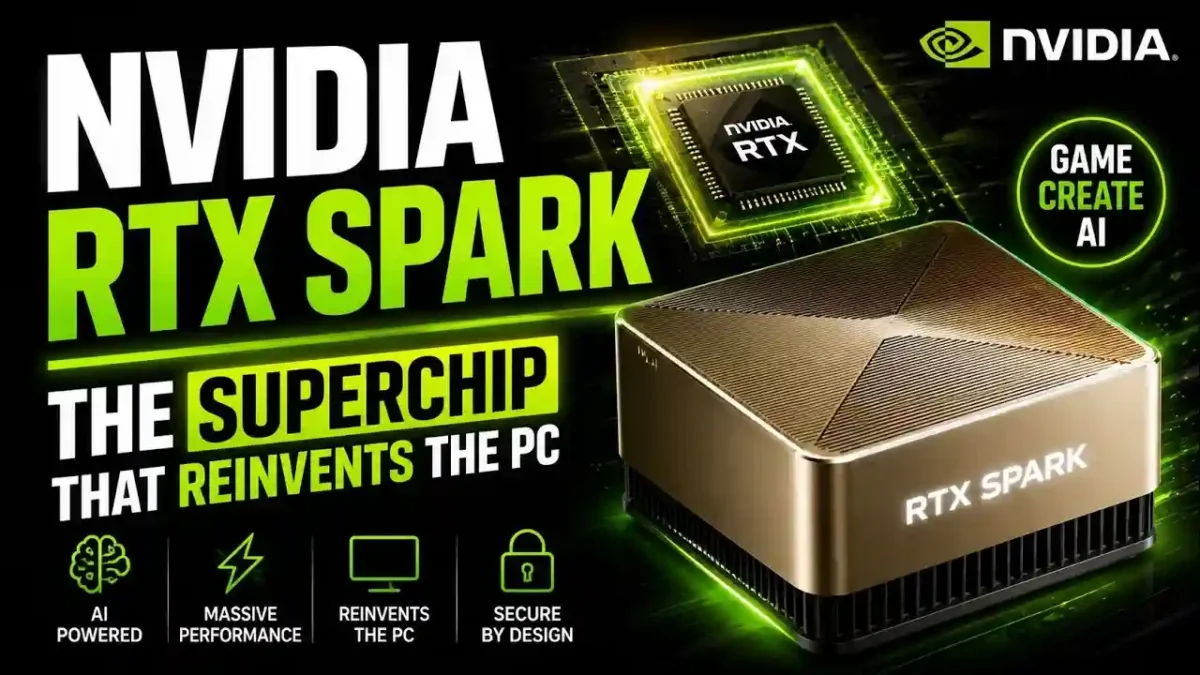

Nvidia RTX Spark at Computex 2026 in Taipei, and it might be the most significant PC hardware announcement in a decade. The new AI superchip promises local AI agents, 1-petaflop performance, and Windows PCs from Dell, HP, Microsoft, and more. Here’s the complete breakdown of what’s confirmed, what’s speculation, and whether it’s worth waiting for.
Nvidia Just Changed the PC Game With RTX Spark (Again)
Nvidia founder and CEO Jensen Huang took the stage at Computex 2026 in Taipei with a theatrical spark (literally) and announced a device that could finally bring powerful, secure AI agents to regular Windows laptops. The chip is called RTX Spark, and it’s Nvidia’s latest attempt to crack the PC market after more than a decade of trying.
Here’s what we actually know, what’s still speculation, and why this matters for anyone who’s been waiting for an AI PC that doesn’t feel like a science experiment.
What Is RTX Spark? The Short Version
RTX Spark is a “superchip,” Nvidia’s term for bundling multiple components into one package. It combines a 20-core Arm-based Grace CPU with a Blackwell-generation RTX GPU that includes 6,144 CUDA cores. The whole thing is built on TSMC’s 3-nanometer manufacturing process and packs about 70 billion transistors.
READ MORE
The headline number: 1 petaflop of AI computing power. That’s 1,000 trillion operations per second, running locally on your laptop without sending data to the cloud.
The chip also includes up to 128GB of unified LPDDR5X memory. For comparison, most current Windows laptops ship with 16GB or 32GB. This isn’t a small bump — it’s a completely different category of machine.
| Specification | RTX Spark | Typical 2026 Windows Laptop | Apple M4 MacBook Pro |
|---|---|---|---|
| CPU | 20-core Arm Grace | Intel Core Ultra / AMD Ryzen | 10-core Apple M4 |
| GPU | Blackwell RTX, 6,144 CUDA cores | Integrated Intel Arc / AMD Radeon | 10-core integrated GPU |
| Memory | Up to 128GB unified LPDDR5X | 16GB to 32GB | Up to 128GB unified |
| AI Performance | 1 petaflop | 40–80 TOPS (NPU) | ~38 TOPS (Neural Engine) |
| Process | TSMC 3nm | TSMC 3nm / 4nm | TSMC 3nm |
| Transistors | ~70 billion | ~20 billion | ~28 billion |
Who’s Building RTX Spark PCs (And When)
Nvidia named an extensive list of partners during the announcement. Here’s the confirmed lineup for fall 2026: ASUS, Dell, HP, Lenovo, Microsoft Surface, and MSI will all ship RTX Spark devices first. Acer and Gigabyte will follow later.
Specific models already announced include:
- Microsoft Surface Laptop Ultra — Microsoft’s flagship RTX Spark device, which the company is calling “the most powerful Surface Laptop ever built.” It features a 15-inch mini-LED PixelSense touch display and will come in Platinum and Nightfall finishes.
- ASUS ProArt P14 and P16 — Professional creator laptops with OLED displays, 120Hz refresh rates, and sub-0.55-inch thickness.
- Dell XPS 16 Creator Edition — Few details yet, but Dell confirmed a tandem OLED screen with True Black HDR 600 support.
- HP OmniBook X 14 and OmniBook Ultra 16 — HP claims these will be “the world’s thinnest RTX Spark products,” though at 0.53 and 0.62 inches respectively, ASUS has them beat.
- Lenovo Yoga Pro 9n — Lenovo hasn’t shared much, but the previous Yoga Pro 9i delivered over 15 hours of battery life, so expectations are high.
- MSI Prestige N16 Flip AI+ — The first 2-in-1 convertible with RTX Spark, featuring a 16-inch tandem OLED display.
The AI Agent Pitch That Actually Makes Sense
Here’s where Nvidia’s strategy diverges from every previous Windows on Arm attempt. Jensen Huang put it this way: “For forty years, you launched apps. Click. Type. With RTX Spark and Microsoft Windows, you ask, and the PC does the work.”
READ MORE
Translation: Instead of opening Excel and manually building a forecast, you’d theoretically tell your PC “forecast next quarter’s sales” and an AI agent would handle the spreadsheet, analysis, and presentation.
Nvidia specifically mentioned two AI agent platforms: OpenClaw and Hermes Agent. These aren’t consumer brands yet — they’re development frameworks for building autonomous AI agents. Think of them as the operating system for AI that can actually do things, not just chat.
Real-world example: Imagine a freelance designer working on a client project. Instead of manually resizing 40 product images and exporting them in three different formats, she opens her AI agent, types “resize all product images to 1200×1200, 800×800, and 400×400, save as WebP and PNG, then upload to the client folder.” The agent handles it locally, no cloud upload, no privacy risk. That’s the pitch.
The security piece matters more than most articles are acknowledging. Nvidia and Microsoft jointly developed secure “sandboxes” to run these agents. That means the AI can access your files and tools without having free reign over your entire system. It’s a genuine attempt to solve the “do I really want an AI poking around my documents?” problem.
The $200 Billion Bet
Here’s what Huang told investors on Nvidia’s May earnings call: “We’ll have billions of agents, and those billions of agents will all use tools. And those tools are going to be like PCs, just like us humans using PCs today. We’re going to need a lot more CPUs.”
This isn’t small thinking. Huang said he’s identified a $200 billion market for Nvidia selling CPUs specifically for AI workloads, on top of their existing GPU business. The company’s Vera server CPU announced earlier this year has already generated $20 billion in sales.
RTX Spark is the consumer-facing version of that server technology. It’s Nvidia’s attempt to bring data-center AI capabilities to a laptop you can buy at Best Buy.
The Elephant in the Room: Nvidia Has Failed at This Before
Let’s be direct about history. In 2012, Microsoft launched the Surface RT with an Nvidia Tegra 3 chip inside. It was an Arm-based Windows device that promised good battery life and a sleek design. Within a year, Microsoft took a $900 million write-down on unsold inventory. Dell and other partners abandoned their versions entirely.
READ MORE
The problem wasn’t just the chip — it was the software ecosystem. Windows RT couldn’t run traditional x86 desktop applications. Users bought what looked like a laptop and got something that behaved more like a restricted tablet.
Fast forward to 2026, and the landscape looks completely different. Microsoft’s Prism emulator has matured significantly, now supporting AVX2 instructions that many games and professional apps require. Adobe is optimizing Photoshop and Premiere Pro specifically for RTX Spark, promising double the AI and graphics performance on native Arm code.
I spent some time looking at the announcement specs and partner list, and one thing jumped out: Adobe, Blender, ComfyUI, Riot Games, and Xbox are all signed on as software supporters. That’s not a token list. Those are serious creative and gaming workloads. If RTX Spark runs League of Legends natively and renders 4K video in Premiere without breaking a sweat, that addresses exactly what killed the Surface RT.
What We Still Don’t Know (And Nvidia Won’t Say)
The silence on certain topics is louder than the announcements.
Pricing remains completely unconfirmed
The most relevant comparison is Nvidia’s DGX Spark mini-computer, which uses similar GB10 silicon and currently sells for around $4,800. That’s an enterprise developer device. Consumer laptops will likely cost less — though early reports suggest $2,000 to $3,000 for the first wave of RTX Spark machines.
For perspective, the Mac Mini that many developers use for running OpenClaw costs $599 to $1,299 depending on configuration. Apple’s M-series MacBooks range from $999 to $3,500. If RTX Spark laptops launch at $2,500 minimum, that’s a premium product, not a mass-market device.
Battery life claims are vague
Several partners promise “all-day battery life” without specifying hours. Given that RTX Spark packs server-class components into a laptop chassis, real-world battery performance is a genuine question mark. Based on how similar chips have performed historically, expect 8 to 12 hours of mixed use, with heavy AI workloads cutting that in half.
Game compatibility hasn’t been demonstrated
Nvidia says RTX Spark can run AAA games at 1440p and over 100 frames per second. But which games? Steam’s library is almost entirely x86 code that would need emulation on Arm. Anti-cheat systems — notoriously sensitive to emulation — have been a specific pain point for Windows on Arm. Nvidia says it’s working with anti-cheat providers, but there’s no public confirmation of which games actually work.
CPU performance benchmarks are absent
Nvidia claims the Grace CPU is “competitive” with x86 alternatives but hasn’t released any comparative data against Intel Core Ultra, AMD Ryzen, or Apple M-series chips. When a journalist asked an Nvidia spokesperson why RTX Spark would succeed where Copilot+ PCs disappointed, the response was: “I leave that to your judgment.” That’s not confidence — that’s deflection.
The Competition Isn’t Standing Still
Even if RTX Spark delivers on every promise, Nvidia enters a crowded field.
READ MORE
Apple has owned the high-performance Arm laptop market since 2020. The MacBook Pro with M4 is widely considered the best creative laptop available. And Apple’s developer ecosystem is fully transitioned to Arm — a process that took them three years and significant developer pressure.
Qualcomm‘s Snapdragon X Elite powers the current generation of Copilot+ PCs. While early reviews praised battery life, graphics performance and game compatibility were genuine weak points. Some Copilot+ models were labeled “frequently returned” on Amazon, and Microsoft’s flagship Recall feature had to be pulled for privacy concerns.
Intel and AMD aren’t going away either. Both companies are integrating NPUs (neural processing units) into their x86 chips. You don’t need an Arm chip to run AI workloads — you need enough raw compute and memory bandwidth. Intel’s Lunar Lake and AMD’s Strix Point both claim significant AI improvements in 2025-2026 laptops.
| Competitor | Strengths | Weaknesses |
|---|---|---|
| Apple M4 | Full Arm ecosystem, best-in-class efficiency | Not Windows, no CUDA support |
| Qualcomm Snapdragon X Elite | Battery life, native Windows on Arm | Weak gaming, anti-cheat issues |
| Intel Lunar Lake | x86 compatibility, no emulation needed | Lower AI performance, fewer cores |
| AMD Strix Point | Strong integrated graphics, x86 compatibility | Less efficient than Arm, higher power draw |
Who Should Actually Buy RTX Spark?
Not everyone needs this chip, and for many people, it will be overkill. Here’s how to think about it based on your workflow.
| User Type | Should You Buy? | Why |
|---|---|---|
| AI developer or researcher | Yes, if you need local models | 128GB unified memory is unmatched for consumer laptops |
| Video editor working with 4K/8K footage | Yes, if budget allows | Native Adobe optimization, Blackwell GPU, high memory |
| Casual gamer | Wait for reviews | Game compatibility on Arm is still uncertain |
| Office and web user | No | A $700 laptop with Intel Core Ultra handles everything you need |
| Student (non-technical) | No | Unless you need AI compute, a MacBook Air or standard Windows laptop is better |
| Professional 3D animator / VFX artist | Maybe, test first | Depends on whether your toolset has native Arm support |
Common Mistakes to Avoid If You Plan to Buy RTX Spark
READ MORE
- Pre-ordering without waiting for reviews. First-generation Arm laptops historically have launch bugs. Wait for independent benchmarks, especially for gaming and battery life.
- Assuming every Windows app will work. x86 apps run through emulation, which usually works but can break niche software, older games, and certain drivers.
- Overestimating battery life. “All-day” claims rarely survive real-world AI workloads. If you run local agents continuously, expect 4 to 6 hours.
- Ignoring the software ecosystem. If your daily workflow depends on specialized x86 software without Arm support, RTX Spark will frustrate you.
- Buying based on the petaflop number. 1 petaflop is impressive, but what matters more is whether your actual applications can use it.
- Not checking memory config options. RTX Spark’s 128GB configuration is the headline, but cheaper models will ship with less memory. Make sure the configuration you buy matches your workload.
A 30-Day Plan Before You Buy
Week 1: Define Your Actual Use Case
- List every application you use weekly. Note which ones have native Arm versions already.
- Check whether your primary software (Adobe, Blender, DaVinci) has announced Arm support.
- Estimate your realistic memory needs: 32GB, 64GB, or 128GB.
Week 2: Watch for Benchmarks
- Follow Nvidia’s official Computex follow-up announcements.
- Track early reviews from outlets like AnandTech, The Verge, and Tom’s Hardware.
- Note specific results for real-world tasks like video export time and game FPS.
Week 3: Compare Against Alternatives
- Compare RTX Spark configurations against MacBook Pro M4 and Intel Lunar Lake laptops.
- Calculate price-per-petaflop and price-per-GB of RAM to see where value sits.
- Check whether your current laptop can handle your workload for another 12 months.
Week 4: Decide and Prepare
- If you decide to buy, sign up for launch alerts from the manufacturer you prefer.
- If you decide to wait, note the specific trigger that would change your mind (price drop, benchmark result, software update).
- Either way, back up your current system and inventory your software licenses so you’re ready to migrate.
The Bottom Line
Nvidia’s RTX Spark is the most serious attempt at Windows on Arm since Microsoft wrote off nearly a billion dollars on the Surface RT. The technology has matured dramatically in 14 years. The software ecosystem is finally getting native Arm support from major players like Adobe. And the AI agent pitch — secure, local, powerful — actually makes sense for the first time.
READ MORE
But Nvidia hasn’t shown its hand on pricing, battery life, or real-world game compatibility. The company is asking us to trust based on a keynote presentation and some non-functional prototypes at Computex.
Here’s my honest take: Jensen Huang has earned the benefit of the doubt. Nvidia’s track record over the last five years — from data-center dominance to the RTX graphics revolution — suggests they know what they’re doing. But PC history is littered with great chips that failed because of software, pricing, or bad timing.
RTX Spark will likely be a fantastic device for a specific type of user: developers and creators who need local AI power and are willing to pay $2,500 or more for it. Whether it becomes the “M1 moment” for Windows PCs depends entirely on whether Nvidia and Microsoft can deliver affordable options, proven battery life, and a software library that just works.
We’ll know more this fall when the first reviews hit. Until then, consider yourself cautiously optimistic but not an early adopter.
Frequently Asked Questions About Nvidia RTX Spark
What is Nvidia RTX Spark?
RTX Spark is a superchip that combines a 20-core Arm-based Grace CPU with a Blackwell-generation RTX GPU and up to 128GB of unified memory. It’s designed to run AI agents locally on Windows laptops without cloud dependence.
When will RTX Spark laptops be available?
Nvidia confirmed that ASUS, Dell, HP, Lenovo, Microsoft Surface, and MSI will ship RTX Spark devices in fall 2026. Acer and Gigabyte will follow later.
How much will RTX Spark laptops cost?
Nvidia has not announced pricing. Early reports suggest $2,000 to $3,000 for the first wave. The DGX Spark mini-computer with similar silicon sells for around $4,800, which suggests consumer versions will still be premium-tier.
Can RTX Spark run games?
Nvidia claims RTX Spark can run AAA games at 1440p and over 100 FPS. However, Steam’s library is mostly x86 code that requires emulation, and anti-cheat systems have historically been problematic on Arm devices. Actual compatibility will depend on individual titles.
How does RTX Spark compare to Apple Silicon?
Apple’s M4 chips have a mature Arm ecosystem and best-in-class efficiency, while RTX Spark offers CUDA support and higher AI compute. Apple wins on battery life and ecosystem maturity; Nvidia wins on raw AI performance and CUDA-based tools.
Will RTX Spark run all my Windows apps?
Most mainstream apps will work through Microsoft’s Prism emulator. Specialized software, older games, and certain driver-dependent applications may have issues. Check compatibility lists from your software vendors before buying.
What AI agents can RTX Spark run?
Nvidia mentioned OpenClaw and Hermes Agent as the primary AI agent platforms at launch. These are development frameworks for building autonomous agents, and Nvidia worked with Microsoft to run them in secure sandboxes.
Is RTX Spark worth waiting for?
If you’re an AI developer or professional creator who needs local compute and can wait until late 2026, yes. If you need a laptop now or don’t use AI-heavy workflows, buy something that exists today.
How is RTX Spark different from Nvidia’s DGX Spark?
Both use similar GB10 silicon, but DGX Spark is an enterprise developer device selling for around $4,800. RTX Spark is the consumer-facing version, sold through laptop manufacturers like Dell and HP.
What software partners have signed on for RTX Spark?
Confirmed partners include Adobe, Blender, ComfyUI, Riot Games, and Xbox. Native Arm support is being developed for Photoshop, Premiere Pro, and several gaming titles.

Leave a Reply