
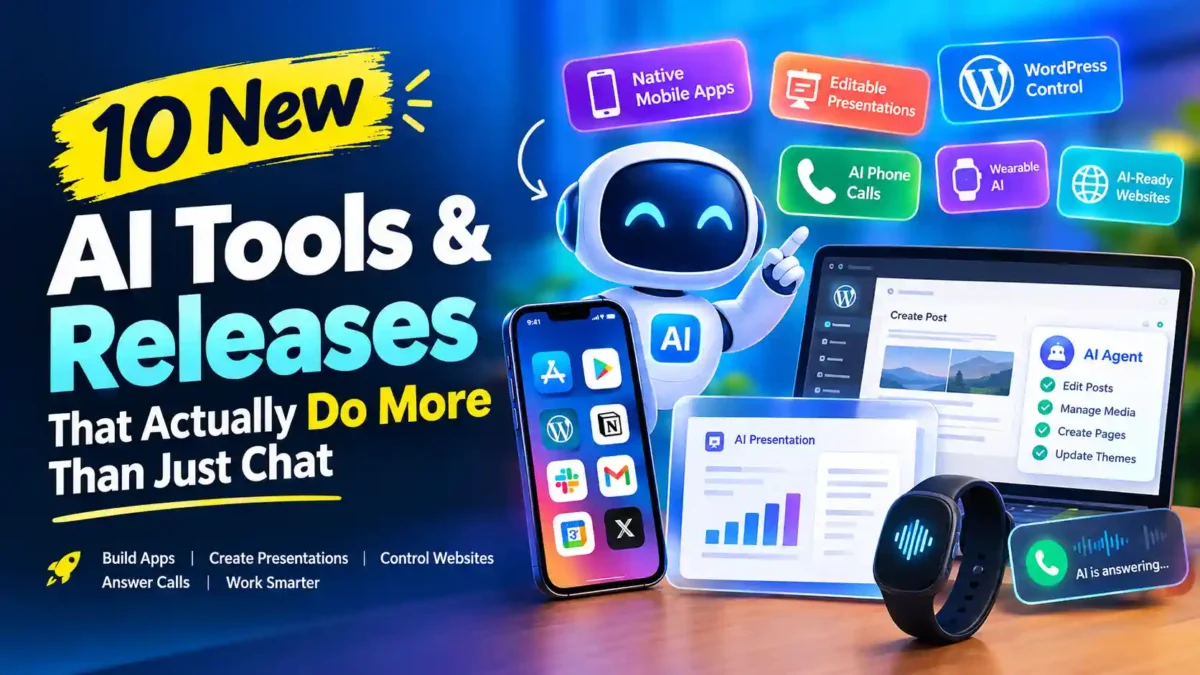

New AI tools are moving beyond chat windows and simple content generation. The latest releases are starting to build native mobile apps, create editable presentations, control WordPress sites, answer business phone calls, work from the wrist, and even evaluate whether websites are ready for AI agents.
That shift matters because the useful question is no longer just, “Which AI model gives the best answer?” Increasingly, it is, “What can the AI actually do for me?”
This roundup looks at 10 recent AI tools and releases that show where that change is happening. The focus is on what each product actually does, what makes it different, and where you should still be cautious.
1. Modaal Can Build Native iPhone and Android Apps
Modaal is one of the more interesting developments for people who want to build mobile software without starting with a traditional development team. The platform lets you describe an application, review a plan, and have an AI coding agent build the project as native software.
Its important distinction is that the output is not simply a website wrapped inside an app. Modaal generates Swift and SwiftUI for iPhone and Kotlin with Jetpack Compose for Android. Its Duet architecture shares application logic while allowing each platform to have its own native interface.
Modaal also produces ordinary Xcode and Android Studio projects on your Mac, so the resulting code is not trapped inside a proprietary runtime. The company says Android reached general availability in September 2026 after its open beta. The free plan supports one platform, while its Pro plan adds iOS and Android together.
That makes Modaal more interesting for serious app projects than a tool that only produces a clickable prototype. There is still plenty of work after generation, including testing, store compliance, privacy requirements, app listings, and ongoing maintenance.
For anyone interested in AI-assisted development, this is part of a larger trend already visible in AI-assisted browser extension development. The difference is that mobile platforms impose much stricter technical and distribution requirements.
2. Claude Slides Turns Research Into Editable Presentations
Anthropic has pushed Claude further into document creation with Claude Slides. Instead of asking an AI for an outline and then manually rebuilding that outline in PowerPoint, you can give Claude a report or other source material and ask it to create a presentation.
READ MORE
Claude’s official documentation says Claude Slides can create decks from a report or existing file, let you edit the slides directly, and export the finished presentation to PowerPoint or PDF. Claude also provides a dedicated Slides experience inside its broader Artifacts system.
The important change is the editing loop. You can ask Claude to change the order, revise content, or make other adjustments instead of treating the first generated deck as finished.
That does not mean AI-generated presentations are automatically good presentations. Visual hierarchy, factual accuracy, slide density, charts, source quality, and presentation context still require human review.
For business presentations, the most useful workflow is probably to use Claude for the first structured draft and then refine the deck rather than expecting one prompt to produce a presentation ready for an important meeting.
3. Persona Puts an AI Agent on Your Wrist
Persona is taking a different approach to personal AI. Instead of putting another assistant inside a phone app, the company has introduced the Persona Band, a screenless wrist-worn device designed to give its AI assistant a voice interface.
Persona says the Band can connect with services such as Gmail, Google Calendar, Notion, Slack, Uber, DoorDash, Microsoft Teams, and other applications. Its intended tasks include making calls, booking appointments, handling messages, managing schedules, and dealing with repetitive administrative work.
The company lists a $179 preorder price, with a stated $219 regular price, and says shipments are expected in December 2026. The Band is listed with two microphones, a three-day battery claim, USB-C charging, local storage for periods without a phone, and an instant mute feature. These are manufacturer specifications and should not be treated as independently tested results before production hardware is reviewed.
The interesting part is therefore not the wristband itself. It is the interface between a person and an AI agent that can take actions instead of simply returning text.
That also creates a much bigger trust problem. An assistant that can send messages or book a restaurant is one thing. An assistant that can interact with accounts, purchases, communications, and other personal services needs carefully controlled permissions and confirmation steps.
4. WPVibe Connects AI Directly to WordPress
WPVibe is particularly relevant to WordPress site owners because it connects AI clients such as ChatGPT, Claude, Cursor, and Claude Code to WordPress through the Model Context Protocol.
READ MORE
Once connected, an authorized AI client can read WordPress information and perform supported actions on the site. WPVibe describes capabilities including editing posts, managing media, creating pages, working with themes, and other site-management tasks.
The service uses a WordPress plugin and a hosted MCP relay. WPVibe says risky or destructive operations can require approval, while theme work uses a draft-first process rather than silently changing the live site.
This is an important distinction from simply asking an AI chatbot how to edit WordPress. The AI can potentially become an interface for the actual website.
That capability also means permissions matter. A WordPress administrator should not connect an AI service without understanding what access it receives. WPVibe says it uses WordPress Application Passwords rather than normal WordPress passwords, but site owners should still review the permissions and privacy policies of both WPVibe and the AI client they connect.
For Myanas and other WordPress publishers, this category is worth watching because it could reduce the friction between an editorial instruction and the actual work required inside WordPress.
5. Notion Skills Turn Reusable AI Workflows Into Team Assets
Notion is moving into a part of AI development that is easy to underestimate: reusable skills.
A skill is essentially a set of instructions that teaches an AI agent how to perform a recurring type of work. Instead of writing the same detailed prompt every time, a team can maintain the workflow as a reusable asset.
Notion’s September 2026 release introduced a Skills Library designed for teams. Skills can be created and maintained in Notion and then downloaded for use with agents such as Claude Code, Codex, Cursor, Gemini, and Grok. Notion says the skills are represented as SKILL.md files with supporting files where appropriate.
This solves a practical problem for teams. A good AI workflow often lives inside one employee’s prompts, notes, or GitHub repository. If that person changes the workflow, everyone else may continue using an outdated version.
Notion’s approach makes the instructions easier for non-developers to maintain and share. Developers may still prefer Git-based version control, but a shared workspace can be easier for a marketing, operations, or editorial team.
There are also community projects taking a similar approach by using Notion as a source of truth for agent skills and syncing those skills to local agent environments.
6. Aside Gives AI Agents a Browser
Aside is positioning itself as a browser designed for both people and AI agents. The idea is simple: instead of relying on a separate integration for every website, the agent can interact with websites through a browser environment.
READ MORE
According to Aside, the browser can work across logged-in websites and perform tasks involving communications, payments, internal tools, documents, and spreadsheets.
This matters because websites are where much of the world’s work already happens. An agent that can navigate a real website does not necessarily need a custom API for every service.
But browser-based agents also introduce obvious risks. Logging an agent into accounts means giving software access to sensitive information and potentially allowing it to perform actions. For financial, administrative, or destructive tasks, human approval should remain part of the workflow.
The broader direction is clear: AI is moving from generating instructions about software toward operating software directly.
7. Vercel’s Is Agentic Checks Whether Websites Work for AI Agents
Websites have traditionally been designed around human visitors. Vercel’s Is Agentic initiative reflects a different question: can an AI agent understand and interact with this website effectively?
The audit examines characteristics relevant to agent access. Vercel now lets reports be viewed according to site type, including Docs and content, Business, App, and Commerce. The score itself remains the same, while the highlighted checks change according to the selected category.
For developers, this creates a new kind of website quality check. A page can look excellent to a human visitor and still be difficult for an AI system to interpret or navigate.
That is increasingly relevant as AI agents become capable of researching products, completing workflows, navigating websites, and interacting with online services.
For example, Vercel’s own research on agentic commerce discusses requirements such as structured product information, machine-readable catalogs, authentication, rate limiting, and reliable behavior for machine clients.
This does not mean every website needs to be rebuilt for agents today. It does mean developers should start thinking about machine-readable content and predictable interfaces alongside traditional SEO and accessibility.
8. Vercel Domains Brings Domain Search Into the AI Development Workflow
Vercel is also making domain research part of its developer workflow. Its domain search can show availability and pricing across supported extensions, and the capability is now available through the Vercel CLI.
READ MORE
Vercel says developers can search by a domain fragment, filter by TLD, sort results, and retrieve availability and pricing. In September 2026, Vercel also added unauthenticated domain searches through its CLI and Domains Registrar API, although authentication is still required to actually purchase or manage domains.
That may sound less impressive than an AI receptionist or native app generator, but it fits an important development pattern. More of the steps between an idea and a deployed website are becoming accessible from one development environment.
A developer can generate a site, deploy it, search for a domain, connect infrastructure, and increasingly ask an AI agent to handle parts of that workflow without switching between as many dashboards.
9. ElevenLabs Reception Turns Phone Calls Into AI Workflows
ElevenLabs has expanded from voice generation into business phone reception. Its Reception AI is designed to answer inbound calls, understand what callers need, answer questions from a knowledge base, book appointments, take messages, and transfer calls.
The official documentation also supports different answering modes. A business can have the AI answer immediately, or have staff phones ring first and let the AI take over when nobody answers. Call transfers and blocked-number rules can also be configured.
This is a practical use case for AI agents because missed calls can directly become missed business opportunities. A small service company may not need a human receptionist available every minute of the day, but it still needs someone or something to handle callers.
ElevenLabs says its voice agents are already handling large numbers of conversations across different use cases. Reuters reported in September 2026 that ElevenLabs’ agents were handling more than 15 million conversations per week.
The important limitation is that a voice agent is only as useful as the information and rules behind it. Businesses should test transfers, appointment scheduling, escalation behavior, caller verification, and failure cases before allowing an AI receptionist to handle important calls without supervision. ElevenLabs itself recommends testing receptionists before going live and after configuration changes.
10. Meta Muse Pushes Personal AI Toward Real Tasks
Meta’s Muse is another example of the shift from conversational AI toward task-oriented agents. Meta describes Muse as a personal AI agent that can take actions such as sending email and booking travel, with the system running inside a dedicated virtual-machine environment designed for the agent and the user’s data.
READ MORE
Meta says Muse is available through its own app and WhatsApp, and that the agent is designed to work on tasks rather than simply answer questions.
The product is also moving into business use. Reuters reported in September 2026 that Meta was expanding Muse for small businesses through integrations with services including Shopify, QuickBooks, Stripe, and Canva.
That makes Muse especially relevant to small businesses that already use several online services. Instead of opening each application individually, the long-term goal is to give an agent enough context and permissions to coordinate work across them.
Privacy remains an important consideration for any personal agent. Recent reporting on Muse has highlighted the amount of account access required for tasks and the importance of understanding data-sharing settings before connecting sensitive services.
Myanas has also published a separate Meta Muse AI Agent review covering the product in more detail.
What These New AI Tools Have in Common
These products may look unrelated, but they are moving in the same direction.
- AI is becoming an interface. Instead of opening an application and learning its controls, users increasingly describe the result they want.
- AI is gaining access to software. MCP, browser agents, app integrations, and operating-system features allow AI systems to interact with real services.
- AI is becoming multimodal. The interface can be text, voice, a phone call, a browser, or a wearable device.
- AI is becoming persistent. Skills and personal agents can retain workflows, preferences, and context rather than starting from zero every time.
- Human approval still matters. The more an AI can do, the more important permissions, confirmation, logging, and recovery mechanisms become.
This is a different stage of AI development from the chatbot boom. The main product question is gradually changing from “Can the model generate something?” to “Can the system complete something?”
What This Means for Creators, Developers, and Small Businesses
For creators, the biggest opportunity may be reducing the number of separate tools required to complete a project. Claude can turn source material into a presentation. AI coding tools can build software. Voice agents can answer customers. AI agents can operate websites and connected services.
READ MORE
For developers, the change is more architectural. Websites and applications increasingly need clear APIs, structured data, authentication flows, predictable errors, and interfaces that both humans and agents can understand.
For small businesses, the practical benefit is automation of repetitive work. Phone reception, appointment booking, customer questions, document processing, scheduling, and website maintenance are all areas where an agent can potentially save time.
But there is a useful rule to keep in mind: do not automate a process simply because AI can automate it. Automate it when the process is well understood, the cost of mistakes is acceptable, and you have a way to review or recover from failures.
Are New AI Tools Replacing Traditional Software?
Not yet. In many cases, the AI layer is being added on top of existing software rather than replacing it.
Modaal still produces Xcode and Android Studio projects. WPVibe works with WordPress. ElevenLabs connects to phone systems and calendars. Persona connects to existing services. Muse works with external applications. Notion turns existing team knowledge into reusable skills.
The emerging pattern is therefore less about eliminating software and more about changing how people interact with it.
A traditional application gives you buttons, menus, forms, and settings. An agent gives you an outcome-oriented interface. Instead of navigating five screens to complete a task, you describe the task and let the system determine which tools to use.
What to Watch Next
The most important developments to watch are not necessarily the flashiest demonstrations. Look for products that solve the difficult parts of AI automation: reliable permissions, error handling, verification, memory, interoperability, privacy, and human approval.
READ MORE
Native app generation is particularly interesting because it brings AI-assisted development into a category where performance and platform integration matter. AI receptionists are interesting because they connect directly to real business operations. Agent-ready websites matter because AI systems increasingly need structured ways to understand and interact with the web.
And personal AI wearables could become important if they make agent interaction genuinely easier than opening another app. That remains an open question for products such as Persona, especially before independent reviewers have tested the hardware in everyday conditions.
Frequently Asked Questions
What are the most important new AI tools in 2026?
Several notable releases are moving AI toward real-world action, including Modaal for native mobile development, Claude Slides for presentations, WPVibe for WordPress, Notion Skills for reusable workflows, ElevenLabs Reception for phone calls, Vercel’s Is Agentic for agent-ready websites, and Meta Muse for personal AI tasks.
Can AI really build an iPhone and Android app?
Yes, some current tools can generate native mobile projects. Modaal, for example, generates SwiftUI for iPhone and Jetpack Compose for Android while sharing application logic between the platforms. However, generating the project is not the same as guaranteeing a production-ready app. Testing, security, store requirements, and maintenance still matter.
Can AI answer business phone calls?
Yes. ElevenLabs Reception is designed to answer inbound calls, answer questions, take messages, book appointments, and transfer calls according to configured rules. Businesses should test real call scenarios before relying on it for important customer interactions.
What is an AI skill?
An AI skill is a reusable set of instructions that teaches an AI agent how to perform a particular workflow. Notion’s Skills Library lets teams maintain these workflows centrally and use them with multiple supported AI coding and agent tools.
Are AI agents safe to use?
They can be useful, but the risk depends on what access you give them. An agent that only summarizes a document has a different risk profile from one that can send email, modify a website, make purchases, or access financial information. Use the smallest practical permissions and keep human approval for high-impact actions.
The Bigger Change Behind These AI Releases
The most useful way to understand these new AI tools is not as a collection of unrelated product launches. They are evidence of a broader shift from AI that primarily generates information toward AI that can operate software and complete tasks.
That does not make every new agent useful, and it certainly does not remove the need for human judgment. Many of these products are still new, some are pre-release, and several capabilities described by their creators need more independent testing.
For users, the practical approach is simple: choose the task first, then choose the AI tool that can perform that task reliably. The winning workflow may involve Claude, a browser agent, a WordPress connector, a voice receptionist, a native app builder, or several of them working together.
That is probably the most important change to watch. AI is becoming less about asking a chatbot for an answer and more about giving software a job to do.

Leave a Reply