
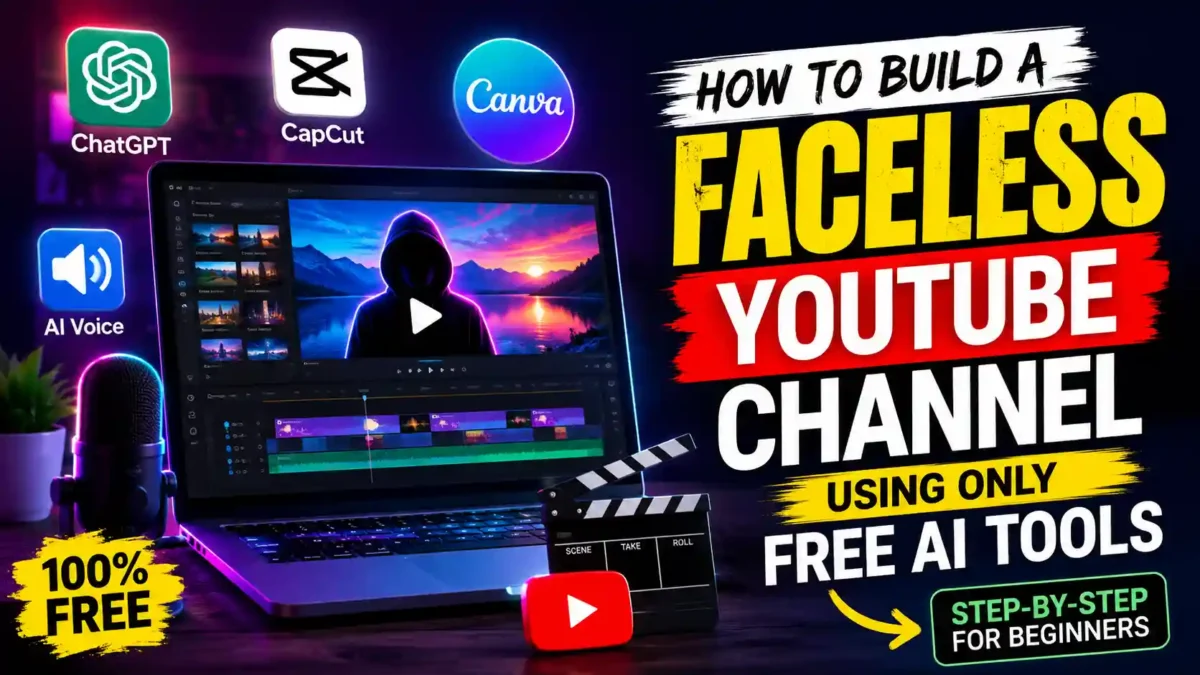

You do not need a camera, a studio, or even your own voice to start posting on YouTube. Learning how to build a faceless YouTube channel using only free AI tools has become one of the most realistic ways for a beginner to launch a channel in 2026, and the free tiers of tools like ChatGPT, CapCut, and Canva now cover most of what used to require a paid production team. This guide walks through every step in order, from picking a niche to uploading your first video, without assuming you already own software or subscriptions.
Short answer: you can build a full faceless channel using ChatGPT for scripts, a free text-to-speech tool for narration, Canva or CapCut for visuals and editing, and Canva again for thumbnails, all without paying anything upfront. The tradeoff is time and watermark limits, not money. Below, each step includes what to do, what usually goes wrong, and a free backup option in case your main tool hits a limit.
What “Faceless” Actually Means (and Why It Works)
A faceless channel is exactly what it sounds like: no on-camera host, no talking-head footage, just narration paired with visuals, text, stock footage, or AI-generated scenes. It’s not a loophole or a gimmick anymore. Faceless channels now make up a large share of new monetized YouTube channels, largely because the production barrier has collapsed.
You’re not competing on charisma here. You’re competing on scripting, pacing, and niche selection, which are all things free tools can genuinely help with. And that’s actually good news for a beginner. A confident on-camera presence used to be a hard requirement for growth. Now it’s just one option among several, and arguably not even the easiest one.
The format also scales differently. A creator with a camera is limited by how often they can film, how they look on a given day, and how comfortable they are in front of a lens. A faceless creator is limited mostly by research and writing time, both of which can be batched, outsourced to AI, and repeated without a physical setup. That is why some faceless channels publish three or four times a week without burning out.
Step 1: Pick a Niche You Can Actually Sustain
Before opening a single tool, choose a topic you can cover weekly for months without running dry. Tech explainers, personal finance basics, true crime summaries, motivational content, and “top 10” style lists all work well for faceless formats because they lean on narration and pacing rather than personality.
Pick something narrow enough to rank for, but broad enough that you won’t run out of video ideas after episode twelve. A quick way to test this: open a notes app and try to list thirty video titles in your chosen niche right now. If you struggle to get past ten, the niche is probably too narrow, or you don’t know it as well as you think you do. If you hit thirty easily, that’s a good sign there’s enough depth to sustain a posting schedule.
It also helps to check what’s already working. Search your niche on YouTube directly and look at which videos in the space are getting real engagement, not just views. Comment counts and watch-time retention tell you more about audience appetite than view counts alone.
Real-world example: A beginner picks “AI tools for small business owners.” She searches YouTube and finds dozens of channels covering the exact same topic with the same generic lists. She narrows to “AI tools for restaurant owners,” then to “AI tools for restaurant inventory management.” The narrower niche has fewer competitors, more specific search intent, and a clear audience she can serve repeatedly. Her first video ranks on page one within a week because nobody else is targeting that specific need.
Free backup option: If you’re unsure which niche to pick, ask ChatGPT to generate twenty niche ideas based on your existing skills and interests, then evaluate each one using the thirty-titles test above.
Step 2: Write Your Script With ChatGPT’s Free Tier
Open ChatGPT and treat it like a first-draft partner, not a finished writer. Give it your topic, your target video length, and a rough tone (conversational, dramatic, educational), then ask for a hook, three to five main points, and a closing call to action. The free version can produce two or three solid scripts a week at no cost, which is enough for most new channels posting once or twice weekly.

Always edit what it gives you. Raw AI scripts tend to repeat phrasing and state the obvious, and a script that sounds like everyone else’s script is the fastest way to lose a viewer in the first ten seconds. A few edits that make a real difference: cut the throat-clearing intro AI models love to write (“In today’s fast-paced world…”), read the script out loud once before recording, and replace generic transitions like “moving on” with something that actually connects the two ideas.
A repeatable prompt formula:
- Role: “Act as a YouTube scriptwriter for a channel about [niche].”
- Task: “Write a [X]-minute script about [topic].”
- Audience: “The audience is [beginner/intermediate audience description].”
- Format: “Include a 15-second hook, 4 main points with examples, and a closing call to action.”
- Constraints: “Use a conversational tone. Avoid clichés like ‘in today’s world.’ Keep sentences under 20 words.”
If you hit your free ChatGPT limit for the day, Google’s Gemini and Microsoft Copilot both offer free tiers with similar scripting ability, so you’re rarely stuck waiting on one tool alone.
Step 3: Generate Narration Without Recording Your Own Voice
CapCut’s built-in text-to-speech tool is the simplest free option here, since it’s already inside the editor you’ll use for assembly. Paste your script in, choose a voice that fits your niche’s tone, and generate the audio.
Voice-cloning platforms like ElevenLabs also offer a limited free tier with a monthly character allowance, which works fine for shorter videos but will run out fast on longer scripts, so budget your word count accordingly if you go that route. A ten-minute video can easily use up a big chunk of a free monthly allowance, so many beginners save ElevenLabs-style tools for their most important upload of the week and use CapCut’s built-in voices for the rest.
One thing that trips people up: picking a voice that doesn’t match the content. A flat, formal voice on a motivational channel falls flat, and an overly energetic voice on a calm explainer channel feels off. Listen to a thirty-second sample before committing to a voice for an entire script. It’s a small step that’s easy to skip and genuinely changes how a video lands.
Real-world example: A true crime channel uses a deep, slow voice with deliberate pacing to build tension. The same voice on a cooking channel would feel bizarre. Match the voice to the emotional tone of the content, not to your personal preference. A ten-minute test recording in three different voices will tell you more than any review.
Step 4: Source or Generate Your Visuals
This is where most free-tool channels fall apart, because stock footage gets repetitive fast. Canva’s free plan includes basic AI image generation and a stock library that covers most beginner needs, and it’s worth building a habit of pairing every few sentences of narration with a new visual rather than looping the same three clips.
If your niche is explainer-style, simple text-on-screen slides with a clean background often outperform mismatched stock footage anyway, since viewers stay for clarity over polish. For story-driven or motivational content, a mix of stock footage and AI-generated still images tends to work better, since the visuals need to carry more emotional weight than a plain slide can.
A rough pacing guideline that helps beginners: aim for a new visual every four to eight seconds of narration. Much slower than that and viewers start to feel like they’re staring at a static image while someone talks at them.
Free backup options for visuals:
- Pexels and Pixabay for royalty-free stock photos and video clips.
- Leonardo AI and Ideogram for free daily AI image generations.
- Canva’s free templates for text-on-screen slides that look designed rather than improvised.
- Your own screen recordings if your niche is software, gaming, or tutorials.
Step 5: Edit and Assemble Everything in CapCut
CapCut’s free desktop and mobile apps handle the whole assembly: timeline editing, auto-captions, transitions, and background music from its royalty-free library. Drop your narration track in first, then build your visuals around it rather than the other way around. It’s a lot easier to time images to an existing voiceover than to record narration that matches a rough cut.
Auto-captions matter more than people expect. A large share of viewers watch with sound off for at least part of a video, and captions keep them from clicking away in the first few seconds. Run a quick pass over the auto-generated captions before publishing, since they occasionally misread names or niche terms.
What stood out while researching this workflow was how much of the free-tier gap has closed compared to a couple of years ago. CapCut’s free plan alone covers editing, captions, and voice generation, three tools that used to each require a separate paid subscription. The watermark and export limits are real, but for a channel just starting out, they’re rarely the thing that determines whether a video succeeds.
Step 6: Design a Thumbnail That Earns the Click
Use Canva’s free templates and swap in bold, high-contrast text with a simple image or icon related to your topic. Avoid cramming more than four or five words on the thumbnail. Thumbnails are viewed at a tiny size on most devices, so anything more than that becomes unreadable before it becomes persuasive.
Test two or three variations across your first several uploads and watch which style gets a better click-through rate in YouTube Studio’s analytics before settling on a consistent look. A common beginner mistake is redesigning the thumbnail style every single video. Consistency helps returning viewers recognize your channel at a glance, so once you find a style that performs, stick with it and vary the text and image rather than the whole layout.
Thumbnail rules that hold up across niches:
- Use a face if you have one, even a stock face, since faces draw attention faster than objects.
- Use contrast. A bright subject on a dark background is easier to read than a busy photo.
- Avoid small text. If you can’t read it at the size of a postage stamp, it’s too small.
- Match the thumbnail to the title. If the title says “5 mistakes,” the thumbnail should show a number and a hint of the problem.
Step 7: Optimize Your Upload and Disclose AI Use
Write a keyword-relevant title and description, then, before you hit publish, check YouTube Studio’s altered-or-synthetic-content toggle if your video includes AI narration or AI-generated visuals that could be mistaken for something real. Disclosed AI content is not penalized in reach or monetization; it’s simply labeled for viewer transparency.
Skipping this step is one of the more common reasons faceless channels run into trouble later. YouTube’s systems can apply the label on their own if they detect undisclosed synthetic content, and repeated failures to disclose can lead to reduced reach or a review of the channel’s monetization status. It takes about ten seconds during upload, so there’s little reason to skip it.
A Realistic First-Month Posting Schedule
Trying to post daily right away is how most beginners burn out within two weeks. A steadier approach for your first month: spend the first few days scripting and generating three videos in a batch, rather than working on one video start to finish before starting the next. Batching the scripting step, then the voice step, then the editing step, tends to be faster than switching tools video by video, since you stay in the same mental mode longer.
READ MORE
Aim for one to two uploads per week for the first month. That’s often enough to build a rhythm and start collecting real audience retention data without exhausting your free-tool limits or your own patience. You can always increase frequency once the workflow feels automatic.
A sample first-month plan:
- Week 1: Pick your niche and script three videos in one batch session. Don’t touch editing yet.
- Week 2: Generate narration for all three scripts, then source visuals for all three. Publish the first video.
- Week 3: Edit and publish the second video. Review retention data from the first one.
- Week 4: Publish the third video. Adjust your next batch based on what worked.
When Free Tools Stop Being Enough
Free tiers are genuinely usable for a first channel, but they come with real limits: watermarks on certain export settings, capped voice-generation characters, and slower rendering queues during high-traffic hours. Most creators hit one of these limits within the first month or two, usually the voice-character cap first.
A reasonable upgrade path is to wait until a specific limit is actually blocking you, rather than pre-paying for tools “just in case.” If ElevenLabs’ free character allowance runs out every week, that’s a clear signal it’s worth a low-cost plan. If CapCut’s watermark hasn’t bothered a single viewer or hurt your retention numbers, there’s no rush to remove it.
Common Mistakes New Faceless Creators Make
- Publishing unedited AI scripts that sound identical to every other channel in the niche.
- Ignoring the AI-content disclosure setting, which can lead to a video being labeled or demonetized without warning.
- Reusing the same three stock clips across an entire video instead of varying visuals with the narration.
- Changing niche every few videos instead of giving one topic enough time to find an audience.
- Choosing a voice that doesn’t match the emotional tone of the content.
- Writing a thumbnail and title separately instead of matching them to the same promise.
- Giving up after five videos because the first two didn’t get views. Most channels take 20–50 videos to find their footing.
One thing most coverage of this topic misses is how much niche selection matters more than tool choice. After comparing several beginner workflows, the pattern that showed up again and again wasn’t which app someone used. It was whether they picked a topic narrow enough to actually get good at. Two channels using the exact same free tools can have completely different outcomes depending on that one decision.
READ MORE
Income claims around faceless channels vary widely and are not guaranteed by any tool or workflow. If you’re treating this as a potential income source, it’s worth thinking of early revenue as a byproduct of consistency rather than something a specific tool stack promises.
FAQ
Can a faceless YouTube channel actually get monetized in 2026?
Yes. YouTube monetizes faceless channels the same way as any other channel, as long as the content is original rather than mass-produced or recycled, and any realistic synthetic content is disclosed.
Do I need to disclose that I used AI tools?
Only when the AI-generated content could realistically be mistaken for real footage or a real person. Using ChatGPT to write a script or CapCut to generate a narration voice generally does not require disclosure on its own.
How long does it take to build a faceless channel using only free tools?
A single video can realistically be scripted, voiced, edited, and uploaded in a few hours once you’re familiar with the tools, though the first one or two videos usually take longer while you learn each app.
What’s the biggest limitation of free AI tools for this workflow?
Watermarks, export limits, and capped voice-generation characters are the main constraints. They rarely block you from finishing a video, but they can slow down a channel that’s posting frequently.
Can I use the same free tools for YouTube Shorts?
Yes. CapCut and Canva both support vertical formatting, and shorter scripts mean the free character limits on voice tools stretch much further.
How many videos do I need before my channel gets traction?
Most faceless channels start seeing meaningful traction somewhere between 20 and 50 uploads. Consistency matters more than any single video going viral, and the first ten videos are usually where you learn the workflow rather than where you find your audience.
Do I need to show my face at any point?
No. A faceless channel can grow entirely on narration, stock footage, AI-generated scenes, and text-on-screen visuals. Many successful channels have millions of subscribers without the creator ever appearing on camera.
Can I combine free tools with paid tools later?
Yes, and most creators do. Start entirely free, then upgrade only the specific tool that becomes a bottleneck. Keeping the rest free is completely reasonable and keeps your production costs near zero as you grow.
Getting Started
Building a faceless YouTube channel using only free AI tools is genuinely achievable right now, and the workflow above, from ChatGPT scripting through CapCut editing to Canva thumbnails, covers everything a first channel actually needs. Start with one video, publish it, disclose your AI use where it applies, and let your niche and consistency do more of the work than any single tool ever will.
The channels that succeed with this approach are not the ones with the most expensive setups. They are the ones that pick a narrow topic, batch their production, publish on a steady schedule, and study their retention data instead of chasing the next shiny tool. Free tools are enough to start. Discipline is what turns that start into something that lasts.

You Might Also Like
YouTube’s In-App Messaging Feature Is Back And It’s Finally Heading to the US
YouTube Income Estimator: What It Can Really Tell You About Creator Earnings

New AI Tools 2026 That Are Changing How We Work

Leave a Reply