
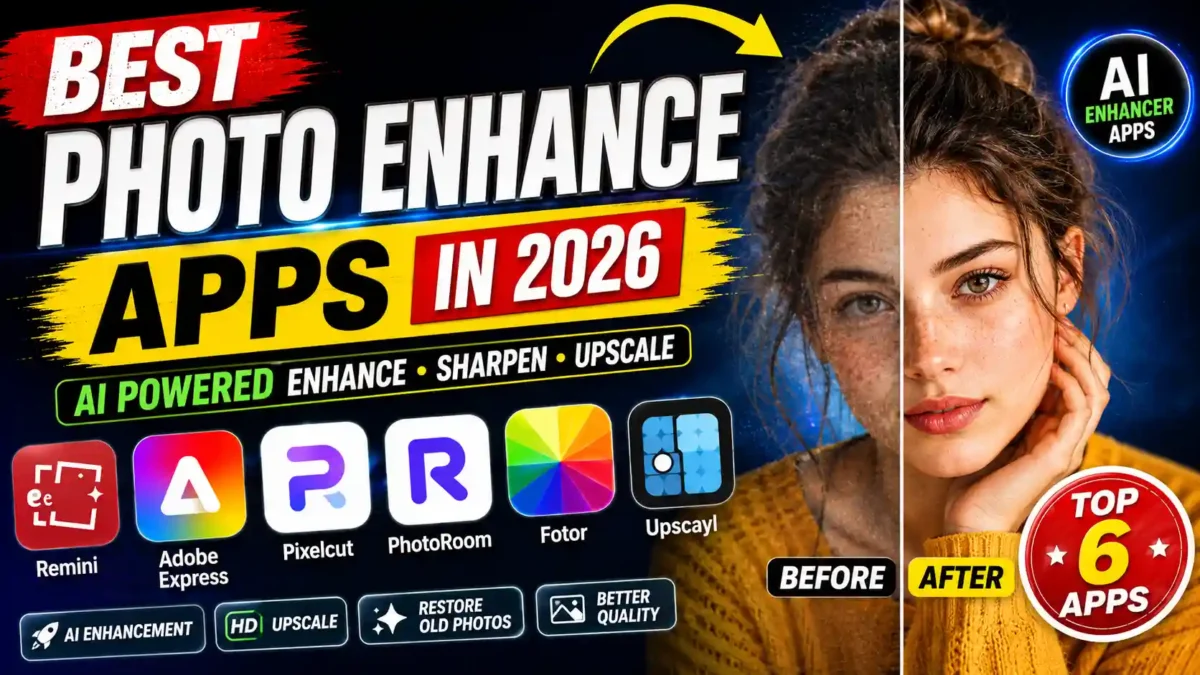

AI photo enhancer apps can sharpen blurry photos, restore old prints, upscale small images and clean up product shots in a few taps. The right one depends on what you edit most. This guide compares six popular options, explains what each is known for, and shows how to test them on your own photos before you pay.
Transparency note: this is a research-based comparison built from each app’s published features and public user feedback, not a hands-on lab test. Prices, free limits and features change often, so this article lists no fixed prices. Check each app’s current pricing page before subscribing.
Quick comparison
| App | Best for | Platform | What to check on the free plan |
|---|---|---|---|
| Remini | Face and portrait enhancement, old-photo restoration | Android, iPhone | Daily limits, ads, subscription type |
| Adobe Express | Editing plus templates and brand kits | Web, Android, iPhone | Which AI tools and templates are premium |
| Pixelcut | Product photos for online sellers | Android, iPhone, Web | Watermarks, export limits |
| PhotoRoom | Background removal, product staging | Android, iPhone, Web | Export limits, watermarks |
| Fotor | All-in-one editing, filters, collages | Web, Android, iPhone | Ads, locked features |
| Upscayl | Free, offline AI upscaling | Windows, macOS, Linux | Open-source; needs a capable computer |
1. Remini
Remini is best known for face restoration. It is used on old family prints, blurry portraits and low-quality selfies, and it also offers video enhancement for short clips. Like most AI restorers, it can make faces look over-processed if you push the effect too far, so start with a lower intensity and compare against the original. Free use is typically limited by daily enhancements and ads, and its paid plans have included weekly billing, which is expensive if you only need a few edits.
READ MORE
Good fit: restoring family photos and improving portraits. Watch out for: over-sharpened eyes and teeth, and subscription terms.
2. Adobe Express
Adobe Express is a web and mobile design tool with photo adjustments, background removal, noise reduction and thousands of templates. It suits people who want to enhance a photo and finish a graphic in the same place. Some templates and AI features need a paid plan, and the interface can feel busy for a quick fix.
Good fit: small businesses and social media managers. Watch out for: features locked behind premium.
3. Pixelcut
Pixelcut is aimed at online sellers, with upscaling, an object eraser, background removal and batch processing. A typical workflow is to photograph a product on a plain surface, remove the background, add a neutral backdrop and soft shadow, then export. Free exports can carry a watermark, so check the terms before using images commercially.
Good fit: Shopify and Etsy sellers. Watch out for: watermarks and weaker suitability for portraits.
4. PhotoRoom
PhotoRoom focuses on one-tap background removal and product staging, with templates for marketplaces and social posts. Fine edges such as laces or hair are hard for any cutout tool, so zoom in and check the edges before you publish. Free plans limit exports and may add a watermark.
Good fit: marketplace vendors and creators who need clean product shots. Watch out for: edge quality and export limits.
5. Fotor
Fotor is an all-round editor with an AI enhancer, object remover, portrait retouching, filters and a collage maker. It is a convenient general-purpose tool, although specialist apps may do better on faces or design work. The free version includes ads and locked features.
Good fit: casual users who want one app for many small tasks. Watch out for: ads and feature limits.
6. Upscayl
Upscayl is a free, open-source desktop app that upscales images with AI models running on your own computer, so photos do not need to be uploaded. Speed depends on your graphics hardware, and on modest machines it is usually slower than cloud tools. It has no mobile version.
Good fit: free upscaling and privacy-conscious users. Watch out for: hardware requirements.
Features worth looking for
- Sharpening: recovers detail from soft photos, within limits.
- Noise reduction: removes grain without a plastic look.
- Upscaling: enlarges an image for print or listings.
- Portrait enhancement: improves faces, best used lightly.
- Background removal and batch processing: key for sellers.
How to choose
- Define the job. Faces, products, general editing or upscaling each point to a different app.
- Pick mobile or desktop. Remini and Adobe Express work on phones; Upscayl is desktop only.
- Check the free tier honestly. Look for daily limits, watermarks and ads.
- Consider privacy. Many apps upload photos to their servers. Read the privacy policy, especially for photos of other people or children. An offline tool such as Upscayl avoids uploads.
- Test the same photo in two or three apps and compare the results side by side.
Common mistakes
- Over-enhancing. Too much sharpening produces plastic skin and halos.
- Using the wrong tool. A face restorer is not a product-photo tool.
- Ignoring watermarks and licenses before commercial use.
- Expecting miracles. AI improves what is there and may invent plausible detail, so an enhanced face may not match the real person exactly.
- Not keeping the original. Always save the untouched file.
- Not checking output resolution before printing.
A 30-day plan
Week 1: assess
- List the photo types you edit most and try two matching apps on the same five photos.
Week 2: learn one app
- Pick the best result and learn its intensity, noise and upscaling settings.
Week 3: batch
- Process a set of similar images and compare the time with editing one by one.
Week 4: decide
- Decide whether a paid plan is worth it for your volume, using the limits you actually hit.
FAQ
Which is the best free photo enhancer?
Upscayl is free without limits on desktop, but needs a capable computer. On mobile, several apps have free tiers with daily limits or ads. Which is best depends on your photos.
Can AI fix a very blurry photo?
It can improve it, but it cannot recover detail that was never captured. Severe blur often results in a plausible but partly invented image.
Are these apps safe?
Check each privacy policy. Many upload photos to cloud servers, while offline tools process them on your device.
Can I use enhanced photos commercially?
Terms differ by app and plan. Check them before using enhanced images for client work, products or monetized content.
What is the difference between upscaling and enhancing?
Upscaling increases resolution. Enhancing adjusts sharpness, color, light and noise. Some apps do both.
Can it repair torn or damaged prints?
It can help with clarity and color, but tears or missing areas often need manual restoration too.
Final thoughts
Match the app to the job, test it on your own photos, keep the originals, and confirm the pricing and license yourself. Start free and pay only when a limit really costs you time.
Disclosure: This post contains affiliate links. We may earn a commission at no extra cost to you.

You Might Also Like

New AI Tools 2026 That Are Changing How We Work

Meta Muse AI Agent Review 2026: My Honest 2-Week Test Results

9 Open-Source Business Tools to Save Money and Grow

Crreo AI Free Plan Explained: Limits, Pricing Sources and How to Test It
Leave a Reply