
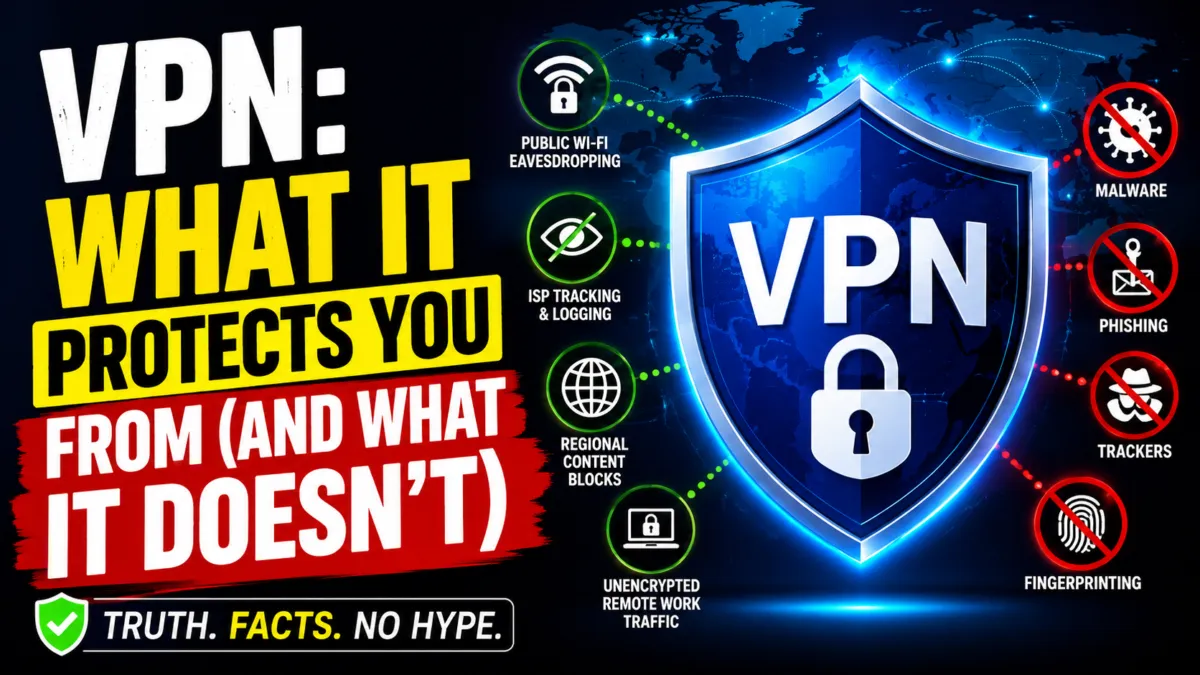

VPN ads make some big promises. Total anonymity. Protection from hackers. A shield against basically every bad thing that can happen online. What a VPN actually protects you from is a lot narrower than that, and understanding the difference matters if you’re deciding whether to pay for one. A VPN is a genuinely useful privacy tool for a specific set of problems. It is not a security suite, and treating it like one can leave you exposed in ways you don’t expect.
Here’s the short version: a VPN encrypts the connection between your device and the internet, so it stops your internet provider, your Wi-Fi network, and anyone snooping on that network from seeing what you’re doing. It does nothing to stop malware, phishing, or a website that’s already tracking you once you’re logged in. Everything below breaks down exactly where that line sits, with real examples, a step-by-step guide, and the mistakes that trip people up.
How a VPN Actually Works, in Plain Terms
A VPN routes your internet traffic through an encrypted tunnel to a server run by the VPN company, then out to the internet from there. Your ISP, a cafe’s Wi-Fi, a hotel network, or your mobile carrier only sees encrypted data heading to that one destination, not the individual sites you’re actually visiting. From the outside, someone watching the network can tell you’re connected to a VPN. They just can’t see what you’re doing through it.
That’s the whole mechanism. It’s not magic, and it’s not a firewall. It’s an encrypted tunnel, and everything a VPN protects you from flows from that one function. Most providers now run WireGuard or a similarly modern protocol, which is faster and leaner than older options like plain OpenVPN, but the underlying idea hasn’t changed in years. Traffic goes in encrypted. Traffic comes out encrypted. What happens after it leaves the VPN server is a separate question entirely.
To make this concrete, imagine you’re at a coffee shop and you log into your bank. Without a VPN, your login credentials travel over the coffee shop’s network. Anyone on that network with the right tools can capture them. With a VPN, your credentials are encrypted before they leave your laptop. The coffee shop network sees only scrambled data. Even if someone captures it, they can’t read it. That’s the protection a VPN provides. But once your bank receives the request and you’re logged in, the VPN has done its job. It doesn’t stop the bank from tracking your account activity, and it doesn’t stop you from clicking a phishing link that looks like your bank.
What a VPN Actually Protects You From
A VPN’s real value shows up in a handful of specific situations. Here’s what it genuinely covers.
READ MORE
1. Your ISP Logging and Selling Your Browsing Habits
In most countries, internet providers are legally allowed to log every domain you visit, and many keep those logs for months. A VPN breaks that link. Your provider can see you’re using a VPN and roughly how much data you’re pushing through it, but not which sites make up that traffic. If you’d rather your ISP not build a profile of your browsing to package and sell, this is the core reason people use a VPN in the first place.
Real-world example: A freelance writer researches sensitive medical topics for an article. Without a VPN, her ISP logs every site she visits, and that data could be packaged and sold to advertisers or, in some jurisdictions, handed over to authorities. With a VPN, her ISP sees only encrypted traffic to a VPN server. The browsing history stays private.
2. Snooping on Public Wi-Fi
Coffee shop and airport Wi-Fi networks are a genuine risk. A VPN prevents man-in-the-middle attacks on public Wi-Fi, which is the technique attackers use to intercept passwords and login credentials on shared networks. Even on a network you trust, like a hotel’s, you don’t know who else is connected or what they’re running. Encrypting your traffic before it leaves your device closes that window.
Real-world example: A business traveler connects to airport Wi-Fi to check his email. An attacker on the same network runs a packet sniffer, hoping to capture login credentials. Without a VPN, the attacker could see the email server address and potentially the password. With a VPN, all traffic is encrypted. The attacker sees only gibberish.
3. Regional Blocks and Restricted Content
If a site or service has been blocked by your government or your ISP, a VPN gives you a way around that block by routing your connection through a server elsewhere. This is one of the most straightforward things a VPN does, and it’s a big part of why usage keeps climbing in countries with stricter internet censorship.
4. Unencrypted Remote Work Connections
If you connect to a company’s internal systems, CRM, or cloud storage from home or on the road, a VPN ensures that session travels through an encrypted tunnel rather than sitting exposed on whatever network you happen to be using. That’s exactly why many employers require VPN use for remote work, and it isn’t optional in a lot of workplaces anymore, for good reason.
Real-world example: A small business owner accesses her company’s accounting software from a hotel lobby. Without a VPN, her login credentials and financial data travel unencrypted over the hotel network. With a VPN, the connection is encrypted end-to-end, and the data stays private even if the hotel network is compromised.
Does a VPN Stop Malware and Phishing?
No. A standard VPN does not scan files, block malicious downloads, or detect a fake login page. This is the single most common misunderstanding about what these tools do, and it’s worth being blunt about it.
5. Infected Downloads and Malware
A VPN encrypts data in transit. It doesn’t inspect that data for malicious code. If you download an infected file, the VPN encrypts the request, the VPN server fetches the file, and the infected file arrives at your device through the secure tunnel, encrypted the whole way. The tunnel did its job perfectly. It just carried something dangerous while doing it. A VPN is not antivirus software, and pairing the two is standard practice for anyone who wants real coverage.
Real-world example: A user downloads a “free” PDF from a suspicious website. The VPN encrypts the download, but the PDF contains malware that installs itself when opened. The VPN doesn’t stop this. Antivirus software would have flagged the file before it executed. This is why security experts recommend using both a VPN and antivirus together.
6. Phishing Pages and Credential Theft
If you type your password into a fake login page, a VPN won’t save you. It shifts who has to trust your data, it doesn’t eliminate the need for trust altogether. Stolen credentials from phishing campaigns get tested against accounts constantly, and the actual defense here is multi-factor authentication, ideally through an authenticator app rather than SMS, which is vulnerable to SIM-swapping attacks.
7. Account-Based Tracking and Browser Fingerprinting
A VPN hides your IP address, but once you log into Google, Facebook, or Amazon, that account is tracking you regardless of which server your traffic is routed through. Browser fingerprinting, using your screen size, fonts, and browser settings to identify you, works independently of your IP address too. If you want to limit that kind of tracking, you’re looking at browser extensions, private browsing modes, and account settings, not a VPN.
Researching how VPN companies market themselves versus what the underlying protocol actually does turns up a pretty consistent gap. Most of the fear-based advertising (hackers at every coffee shop, ISPs auctioning off your search history) has a kernel of truth, but it’s stretched to imply a VPN covers threats it was never built to touch. The tunnel is real and it works. It just isn’t the all-purpose shield the marketing copy suggests.
VPN vs. Tor: Why Most People Don’t Need Both
Tor comes up a lot in these conversations, so it’s worth a quick comparison. Tor routes your traffic through several independent, volunteer-run relays instead of one company’s server, which makes it much harder for any single party to connect you to your activity. That’s a real advantage for whistleblowing, activism under a hostile government, or anything where the stakes are genuinely high. The tradeoff is speed. Bouncing traffic through multiple relays is slow, and it isn’t practical for everyday browsing or streaming.
For most people, a VPN is the more usable tool for daily life, and Tor is reserved for situations that specifically call for it. They’re not really competing products. They’re built for different threat levels.
| Tool | Best For | Speed | Anonymity Level |
|---|---|---|---|
| VPN | Everyday privacy, public Wi-Fi, remote work | Fast | High (hides IP from sites, but VPN provider can see traffic) |
| Tor | High-risk anonymity, whistleblowing, activism | Slow | Very High (multiple relays, no single point of trust) |
| Proxy | Bypassing simple blocks, changing apparent location | Variable | Low (often no encryption) |
What About Split Tunneling?
Split tunneling lets you route only some traffic, work apps, for instance, through the VPN while everything else goes directly to the internet. It saves bandwidth and can improve speed for things that don’t need encryption. The downside is that it also means a compromised device can reach both your internal network and the open internet at the same time, which narrows the protection a full-tunnel VPN would otherwise provide. For most everyday users on a personal device, this is a minor tradeoff. For anyone accessing sensitive business systems, it’s worth checking whether your employer’s VPN policy allows it at all.
Who Actually Needs a VPN in 2026?
Not everyone needs one running around the clock. If you mostly browse from a trusted home network and stick to sites you already log into, a VPN adds a modest privacy benefit against ISP tracking but won’t transform your day-to-day security. If you regularly use public Wi-Fi, work remotely with access to sensitive systems, travel to or through countries with heavy internet restrictions, or simply don’t want your ISP compiling a browsing profile, a VPN earns its keep.
Small business owners handling customer payment data or client records fall into this category too. Sophos’s 2026 Threat Report found that 41 percent of SMB cyberattacks in 2025 exploited remote access vulnerabilities, and unencrypted remote connections were among the most common entry points. A VPN closes that specific gap, though it’s one piece of a broader security setup, not the whole thing.
How to Choose a VPN That Actually Delivers What It Promises
Not all VPNs live up to the protection described above. Some free VPNs go so far as installing root certificates on your device to decrypt your own HTTPS traffic, which is precisely what a VPN is supposed to prevent, not enable. Operating a VPN network is expensive, and if a provider isn’t charging you for the product, your browsing data is very likely what’s paying the bills instead.
A few things separate a trustworthy provider from a marketing exercise:
- A no-logs policy confirmed by an independent audit (firms like Deloitte, Cure53, or PwC), not just a claim on the homepage
- Jurisdiction in a country outside the major surveillance-sharing alliances, such as Switzerland, Iceland, or Panama
- Modern tunneling protocols like WireGuard or OpenVPN, and RAM-only servers that don’t retain data after a reboot
- Transparent ownership and a clear, sustainable business model rather than a too-good-to-be-true free tier
Free tiers from established paid providers, like Proton VPN, are a reasonable exception since they limit speed and servers rather than harvesting data to cover costs. Everything else claiming to be free and unlimited deserves a second look before you install it. A growing number of providers are also rolling out post-quantum encryption ahead of future quantum computing threats, which is worth a glance if you’re comparing options, though it’s a longer-term consideration rather than something that changes your protection today.
| A VPN Protects You From | A VPN Does Not Protect You From |
|---|---|
| ISP tracking and logging | Malware and infected downloads |
| Public Wi-Fi eavesdropping | Phishing and fake login pages |
| Regional content and site blocks | Account-based tracking once logged in |
| Unencrypted remote work traffic | Browser fingerprinting |
Step-by-Step Guide to Using a VPN Safely
If you decide a VPN is right for you, here’s how to set it up and use it without creating a false sense of security.
- Choose a reputable provider. Look for independent audits, a clear no-logs policy, and a jurisdiction that respects privacy. Avoid free VPNs unless they come from a trusted paid provider with a limited free tier.
- Install the app on your devices. Most providers offer apps for Windows, macOS, iOS, Android, and sometimes Linux. Install it on every device you use for sensitive activities.
- Connect to a server. For everyday use, choose the closest server for the best speed. For bypassing regional blocks, choose a server in the country where the content is available.
- Enable the kill switch. This feature cuts your internet connection if the VPN drops, preventing your real IP address from leaking. Make sure it’s turned on.
- Test for leaks. Use a site like ipleak.net to confirm your IP address and DNS requests are not leaking outside the VPN tunnel.
- Use multi-factor authentication everywhere. A VPN doesn’t protect your accounts from credential theft. MFA is your best defense against phishing and password leaks.
- Keep your antivirus active. A VPN and antivirus solve different problems. Run both.
- Update your apps and operating system. Security patches close vulnerabilities that neither a VPN nor antivirus can fix.
Common Mistakes People Make With VPNs
- Thinking a VPN makes you completely anonymous. It hides your IP from websites, but your accounts, browser fingerprint, and cookies can still identify you.
- Using a free VPN that sells your data. If you’re not paying for the product, you are the product. Free VPNs often monetize browsing data.
- Ignoring the kill switch. Without it, a brief VPN drop can expose your real IP address and unencrypted traffic.
- Assuming a VPN stops malware. It doesn’t. You still need antivirus and safe browsing habits.
- Using a VPN for banking on a compromised device. If your device is already infected with malware, a VPN won’t protect your credentials from being stolen by that malware.
- Not checking for DNS leaks. A misconfigured VPN can leak your DNS requests, revealing the sites you visit even if your IP is hidden.
Frequently Asked Questions
Does a VPN make me completely anonymous online?
No. A VPN hides your IP address and encrypts your traffic from your network, but any site you log into can still identify you through your account, and browser fingerprinting can track you independently of your IP address.
Do I still need antivirus software if I use a VPN?
Yes. A VPN encrypts your connection but doesn’t scan files or block malicious code, so antivirus software and a VPN cover two different, non-overlapping jobs.
Can my ISP still see that I’m using a VPN?
Yes. Your ISP can see that you’re connected to a VPN server and roughly how much data you’re sending, but not which specific sites you’re visiting through that connection.
Is a free VPN worth using?
Generally, no, with a few exceptions. Running a VPN network costs money, so a free service with no clear business model is often funding itself by collecting and selling your browsing data, which defeats the purpose of using one.
Should I use a VPN and Tor together?
Only if your threat level genuinely calls for it. Combining them adds meaningful slowdown for most everyday tasks, so it’s usually reserved for high-risk situations like journalism or activism under surveillance-heavy governments.
What is a VPN kill switch and do I need one?
A kill switch blocks your internet connection if the VPN drops, preventing your real IP address and unencrypted traffic from leaking. It’s an important feature and you should make sure it’s enabled.
Can a VPN protect me from phishing?
No. Phishing relies on you entering your credentials into a fake site. A VPN encrypts your connection to that site, but it doesn’t detect that the site is fake. Only vigilance and multi-factor authentication can protect you from phishing.
Does a VPN slow down my internet?
Yes, slightly, because your traffic is being encrypted and routed through an additional server. The slowdown is usually minor with modern protocols like WireGuard, but it can be noticeable if you choose a distant server.
Conclusion
What a VPN actually protects you from comes down to one thing: your traffic while it’s moving between your device and the internet. That covers ISP tracking, public Wi-Fi eavesdropping, regional blocks, and unencrypted remote connections, and those are real, meaningful protections. It doesn’t cover malware, phishing, or the tracking that happens once you’re logged into an account, and no amount of marketing changes that.
Use a VPN for what it’s actually good at, pair it with antivirus software and multi-factor authentication for everything else, and you’ll get a much more accurate picture of your actual security than any single tool can offer on its own. A VPN is one layer in a broader privacy and security strategy, not the whole solution. Treat it that way, and you’ll get real value from it without expecting it to do things it was never designed to do.

You Might Also Like

New AI Tools 2026 That Are Changing How We Work

Meta Muse AI Agent Review 2026: My Honest 2-Week Test Results

9 Open-Source Business Tools to Save Money and Grow

Crreo AI Free Plan Explained: Limits, Pricing Sources and How to Test It

Leave a Reply