
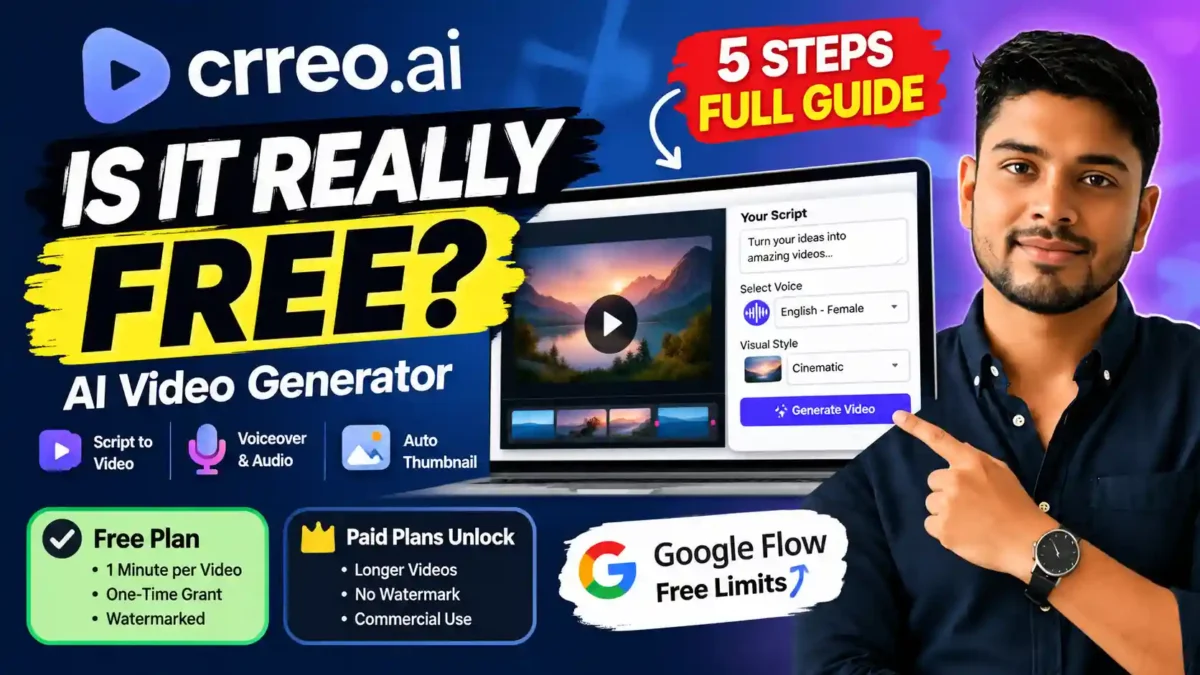

Crreo AI is an online tool that turns a script or idea into a narrated video with scenes, voiceover, music and a thumbnail. Its free plan is real but limited, and the details are described differently in different places. This article summarizes what Crreo’s own pages say, points out where they disagree, and explains how to test the tool without wasting time.
Transparency note: this is a research-based overview, not a hands-on review. It is based on Crreo’s public pages and third-party listings as checked when this article was updated. Plans, limits and prices change often, so always confirm on the official Crreo pricing page and in your own account.
What Crreo AI is
Crreo AI describes itself as a video creation platform for longer-form content. Rather than generating one isolated clip, it tries to cover the whole path from script to finished video: storyboard, characters, AI voices, background music, subtitles and an automatically generated thumbnail. That makes it comparable to script-to-video tools, not to clip generators.
Is the free plan really free?
Yes, you can start without paying, but expect a trial rather than a production plan. Crreo’s pricing page says free-plan use is for personal or non-commercial purposes and requires visible credit to Crreo when published. Third-party reviewers also report a watermark on free exports.
READ MORE
Where the sources disagree
Different pages give different figures for the free plan. When this article was checked:
- Crreo’s home page said free videos can be up to 1 minute, while another Crreo page described free videos of up to 30 seconds.
- A third-party listing described the free plan as allowing a number of short videos with a fixed amount of speech and images. Crreo’s own pricing information described it differently.
- Paid-plan prices differ between Crreo’s pages and third-party listings, and some prices are shown with annual billing while others are shown monthly.
Because of this, do not plan a publishing schedule around any figure you read here. Open your account dashboard and the pricing page, and treat those as the source of truth. If you see a video-length menu that lists 30 minutes, your subscription decides what you can actually export.
What you can test on the free plan
Based on Crreo’s descriptions, the free plan is intended to let you try the main workflow: a short script, a small selection of voices, an AI storyboard, generated scenes with voiceover and music, and an automatic thumbnail. This is enough to judge whether the workflow suits you. It is not designed for a large library of videos.
READ MORE
Paid plans and commercial use
Crreo offers several paid tiers, described as removing branding, adding voices and features, and raising the maximum video length up to 30 minutes on its top plan. Crreo states that paid plans provide commercial rights for individual creators, and that teams and organizations need a separate business license. It also lists a 7-day trial on some plans. Prices and trial terms change, so read the current pricing page instead of relying on this article.
If you plan to monetize videos on YouTube, also read YouTube’s current policies on AI-generated and repetitive content. Commercial rights from a tool do not by themselves guarantee that a channel will be monetized.
How to run a first test
1. Prepare a short script
Keep it brief for a free test. As a rough guide, spoken English runs at about 150 words per minute, so around 150 words suits a one-minute video, and less for a shorter cap. Crreo recommends scene markers and speaker labels. For example:
READ MORE
- [Scene 1]
- Narrator: spoken narration
- [Visuals: rain falling outside a village tea stall]
2. Choose the right mode
After signing in, pick the Video Maker for a complete story-based project, not the clip maker, which is aimed at short individual clips.
3. Set format, voice and style
Choose 16:9 for standard YouTube video or 9:16 for Shorts, Reels and TikTok. Preview voices before generating, select a visual style and decide whether to keep subtitles and music.
4. Review the storyboard before rendering
Check each scene, reorder or delete weak ones, rewrite descriptions and regenerate images that look wrong. This step saves credits because it catches problems before the final render.
5. Render and inspect
Play the whole video and check voice quality, visual consistency between scenes, subtitle accuracy and any watermark. Keep notes on how long each stage took and how many regenerations you needed.
Crreo compared with Google Flow
The two tools solve different problems. Crreo is built around a complete narrated project, while Google Flow is built around generating individual AI shots. Flow’s free access, credits and available models change, so check Google’s current help pages. Choose based on what you want to test: a full story workflow or single cinematic clips. Neither free tier should be treated as an unlimited production system.
Possible weak points
READ MORE
- Limited independent feedback. Much of what is written about Crreo comes from Crreo itself or from roundup sites, so long-term reliability is hard to judge from public information.
- Consistency. As with most AI video tools, characters and settings may vary between scenes and need regeneration.
- Testimonials on vendor pages. Praise on a company’s own site is marketing, not independent evidence.
Who should try it
The free plan suits beginners learning AI video creation, people testing faceless-video ideas and anyone who wants to evaluate script-to-video workflows before paying. A paid plan matters if you need longer videos, no branding, more voices or commercial rights.
FAQ
Is Crreo AI free?
There is a free plan for testing, with limits on length and use, and a credit or watermark requirement when published. Confirm the current limits on the pricing page.
READ MORE
Can I monetize free-plan videos?
Crreo says the free plan is for non-commercial use, so no. Check the terms of the plan you are on.
How long can a free video be?
Crreo’s own pages give different figures, such as 30 seconds and 1 minute, so check your account.
Does it have a mobile app?
One third-party listing says it does not, so use the website unless Crreo states otherwise.
Bottom line
Treat Crreo’s free plan as a test drive. Try one short project, note the exact limits you see, and decide whether the workflow saves you enough time to justify a paid plan.

Leave a Reply