
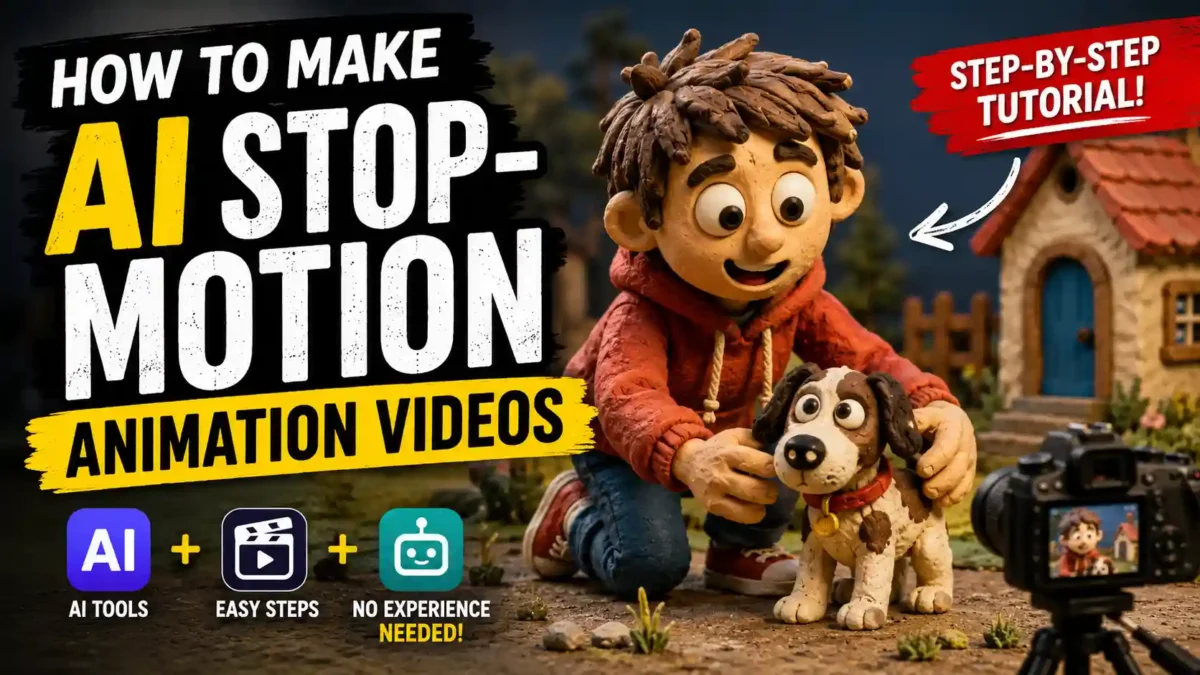

Stop-motion is traditionally slow, physical work: move a clay figure a fraction of an inch, take a photo, repeat hundreds of times. AI video tools cannot replace that craft, but they can imitate its look: a clay or felt texture, small jumps between frames and slightly imperfect, handmade-looking motion. This guide explains a practical way to get that look, and where it tends to go wrong.
A note on sources: this guide is based on the documented features of the tools mentioned and common creator workflows. Tool names, free limits and prices change often, so check each tool’s own page before you start.
What “AI stop-motion” means
No camera is stopping and starting. You are asking a video model to imitate the visual signature of stop-motion. Most models default to smooth, realistic motion, so you have to describe the material and the choppiness clearly and then reinforce them in editing.
Step 1: Pick a tool with an image-to-video mode
Runway, Pika, Kling, Luma Dream Machine and Google Flow all offer image-to-video and some style control. The specific tool matters less than using its image-to-video mode, which the next steps rely on. Many have a free or trial tier, but limits change, so start with a tool you already have an account on and switch only if you hit a limit.
READ MORE
Step 2: Describe the material, not just the action
“A dog walking in a park” gives a generic AI clip. A prompt closer to “claymation dog character walking through a miniature felt park, stop-motion style, visible clay texture, soft diffused lighting, handmade diorama look” tells the model what everything is made of.
Useful texture words include: clay, claymation, plasticine, felt, fabric, wool, paper, cardboard, diorama, puppet, figurine, fingerprints, handmade, miniature, tabletop and soft studio lighting. Pick four or five instead of pasting all of them, because a keyword dump tends to confuse the model.
Step 3: Make a still image first
Generate a handful of stills in your chosen clay or puppet style and pick the one that looks most handmade. Then use that image as the starting frame in image-to-video. You get far more control over the character before you commit to motion, and image generations usually cost less than video generations.
READ MORE
For example, if you want an animated clay fox, generate several fox stills in different poses, choose the best one, and ask the video tool for a small head turn and a slow blink.
Step 4: Keep movement small
Real stop-motion animators keep movement tiny because every step is many separate photographs, and the same restraint helps AI clips look convincing. Good movements: a head turn, a blink, one step, a hand reaching, an object sliding slightly, a small nod. Movements that tend to break the illusion: long walks, chases, sweeping camera moves, fast action, full-body running or jumping.
Aim for clips of roughly 3 to 5 seconds and join several in an editor.
Step 5: Roughen the motion in the editor
If a clip still looks too smooth, lower the frame rate or use a “posterize time” or “strobe” effect in your editor, and consider a light film grain. As a general guide, 24 fps looks like normal video, around 12 fps gives the classic stop-motion stutter, and around 8 fps looks deliberately choppy. Try each and choose by eye. CapCut, DaVinci Resolve and iMovie can all do this in some form, though the setting names differ.
READ MORE
Step 6: Add sound
Handmade-looking animation relies heavily on sound. Try slightly exaggerated foley such as footsteps, fabric rustles and small clicks, quiet acoustic music, and a little room tone instead of total silence. Use audio you have the right to use.
How long does it take?
It depends on the tool, the number of regenerations and your editing speed. Most of the time usually goes into getting the still image right rather than into the video generation itself. Record your own time for a first clip and use it as your benchmark.
READ MORE
Common mistakes
- Too many style keywords. Use a few strong material words.
- Complex camera moves. A locked-off shot or slow pan works better.
- Inconsistent characters. Reuse the same reference image and description across shots.
- Skipping the still image. Going straight from text to video usually gives less control.
- No sound. Silence makes clips feel unfinished.
- Ignoring frame rate. A clip that is too smooth often improves at a lower frame rate.
Why it is a forgiving style to start with
Stop-motion’s natural roughness, such as uneven proportions and jittery motion, hides some flaws that photorealistic AI video exposes. A slightly odd clay puppet reads as a style choice, while an odd human face is quickly noticed. That makes it a reasonable first project, though results still vary by tool and prompt.
READ MORE
It suits short-form video, children’s content, whimsical product demos and storytelling channels. It is a poor fit for fast action or anything that needs photorealistic accuracy.
A simple 4-week practice plan
- Week 1: set up one or two tools, generate about 20 stills in a clay or puppet style, keep your three favorites, animate one with a blink, and test a lower frame rate.
- Week 2: pick one character, generate three poses, animate each into a short clip, join them and add basic sound.
- Week 3: shorten your prompts to fewer, stronger material words, compare lighting descriptions, and test different frame rates.
- Week 4: build a small library of reusable character stills, make a few clips in one session, and try felt, paper or cardboard looks.
FAQ
Do I need physical puppets?
No. The clay or felt look is generated by the AI from your prompt.
READ MORE
Which tools work best?
Tools with image-to-video and good style control. Runway, Pika, Kling, Luma and Google Flow are common choices; quality changes as models update.
Why does my clip look too smooth?
Usually the prompt focused on action and not on material. Add texture words, lower the frame rate and try a grain overlay.
Do I need editing experience?
Basic skills are enough. CapCut can handle frame rate changes, clip joining and sound layering.
Can I make a longer story?
Yes. Generate several short clips from the same reference image and character description, then join them.
How much does it cost?
You can begin on free or trial tiers. Paid plan prices vary by tool and change, so check the current pricing.
Can I use the results commercially?
That depends on each tool’s terms. Free tiers often restrict commercial use while paid plans may allow it, so read the terms before publishing client work.
How many clips make a one-minute video?
At 3 to 5 seconds per clip, roughly 12 to 20 clips, before any re-generations.
Wrap-up
Describe materials, make a still first, keep movement small, lower the frame rate and add sound. Start with one 3 to 5 second clip, compare it with a version at a lower frame rate, and build from there.

Leave a Reply